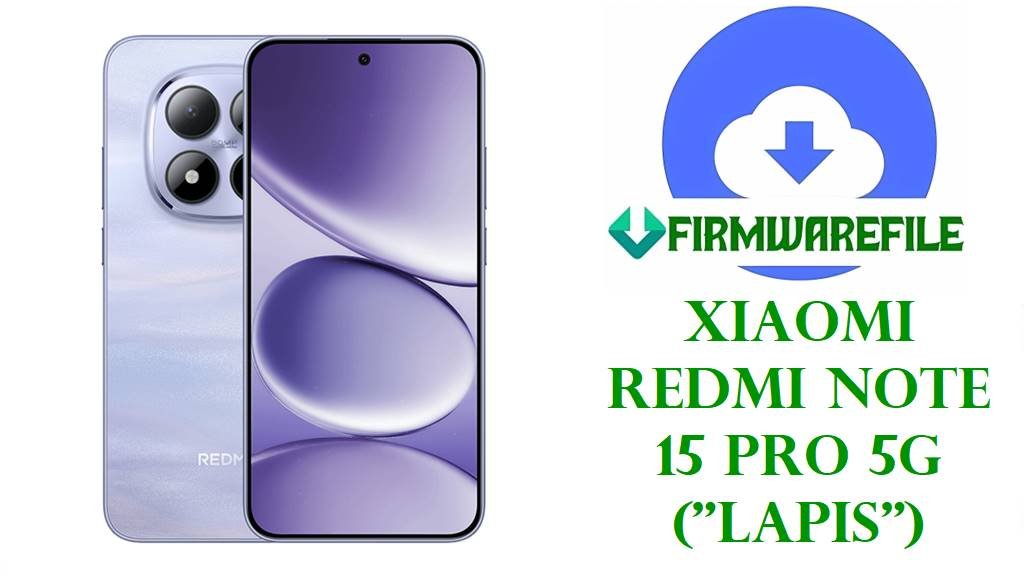
Redmi Note 15 Pro (Lapis) China HyperOS2.0 Official Firmware
Is your Redmi Note 15 Pro (codename: lapis) China variant stuck after OTA, suffering from bootloop, network lock, or missing key features after flashing? China Stable ROM for this new Dimensity-based flagship is optimized for local apps—users have reported losing Google Play, multi-language UI, or even fingerprint on global hardware when cross-flashed with the wrong regional fastboot.
⚠️
CRUCIAL WARNING—CHINA ROM ONLY:
- Google Services (GMS) are fully absent in China ROM. Play Store, Drive, and most push notifications will never work natively.
- Never use “clean all and lock” after cross-flashing between China and Global variants—this can permanently brick your phone.
- China ROM supports only English/Chinese—multi-language option limited, some global LTE/5G bands may be disabled if flashed on international hardware.
- Always confirm your device is real China (“lapis” with CN sticker/About Phone) before flashing. Bootloader unlock is required.
Redmi Note 15 Pro (Lapis) Technical Specs
| Detail | Information |
|---|---|
| Device Name | Redmi Note 15 Pro |
| Codename | lapis |
| Release Date | 2025, August 21 |
| Chipset | MediaTek Dimensity 7400 Ultra (4nm) |
| CPU/GPU | Octa-core (4×2.6 GHz Cortex-A78, 4×2.0 GHz Cortex-A55) / Mali-G615 MC2 |
| RAM / Storage | 8GB/12GB RAM, 256GB/512GB UFS 2.2 |
| Display | 6.83” AMOLED, 1220×2772, 120Hz, HDR10+, Dolby Vision, Dragon Crystal Glass |
| Battery | 7000mAh, 45W fast charge, 22.5W reverse wired |
| Main Camera | 50MP wide (f/1.5, PDAF, OIS), 8MP ultrawide |
| Front Camera | 20MP wide |
| 5G Bands | Global hardware may lose support for certain bands when flashed with China ROM |
| Other | Under-display fingerprint, stereo speakers, Dolby Atmos, dual SIM |
China Firmware Download (OS2.0 Stable)
| Filename | Android | OS/Build | Region | Size | Date | Notes | Download |
|---|---|---|---|---|---|---|---|
| lapis_images_OS2.0.208.0.VPPCNXM_20251103.0000.00_15.0_cn_3856022e01.tgz | 15.0 | OS2.0.208.0.VPPCNXM | China (CN) | 8.83GB | 2025-11-03 | Official China build: English/Chinese only, NO Google Play. | Direct Link |
Older builds: Available for troubleshooting, but downgrade attempts may trip anti-rollback. Use latest for stability and security.
Before You Begin ⚙️
- 💾 Backup data: All internal storage wiped by fastboot flash.
- 🔒 Unlock bootloader with official Mi Unlock Tool before flashing.
- 💬 China ROM = English/Chinese only.
- ⚡ Charge to 60% minimum.
- 💻 Use XiaomiFlash tool with extracted .tgz file.
📱 Quick Flashing Guide (Xiaomi Fastboot)
- Download the China firmware (
lapis_images_OS2.0.208.0.VPPCNXM_20251103.0000.00_15.0_cn_3856022e01.tgz). - Extract it, run XiaomiFlash, select the folder with
flash_all.bat. - Unlock bootloader, enter Fastboot (Power + Vol Down).
- Connect by USB, press “Refresh,” tick clean all.
Never use “clean all and lock” unless you need to relock on real China hardware. - Press “Flash,” wait for the green success. First boot may take several minutes; check About Phone for correct MIUI version.
Pillar guide for bootloader unlock, flashing troubleshooting and EDL/unbrick: Full Xiaomi Flashing Guide
Frequently Asked Questions (FAQs)
- Q1. Will Google Play work if I flash this China ROM?
- No. Google Apps are not integrated; even manual installation is often unstable on China HyperOS.
- Q2. Can I flash Global/EU ROM to this China device?
- Only if bootloader is unlocked; hardware feature loss or bugs are common after cross-flash.
- Q3. Does China ROM have multi-language?
- No—only English and Chinese.
- Q4. Why does my phone lose network after flashing?
- LTE/5G bands may not match your hardware after cross-region flashing. Use correct build for your variant.
- Q5. How do I fix fingerprint/camera bugs after flash?
- These are typical with region mismatch; flash official build for your device and region to recover.