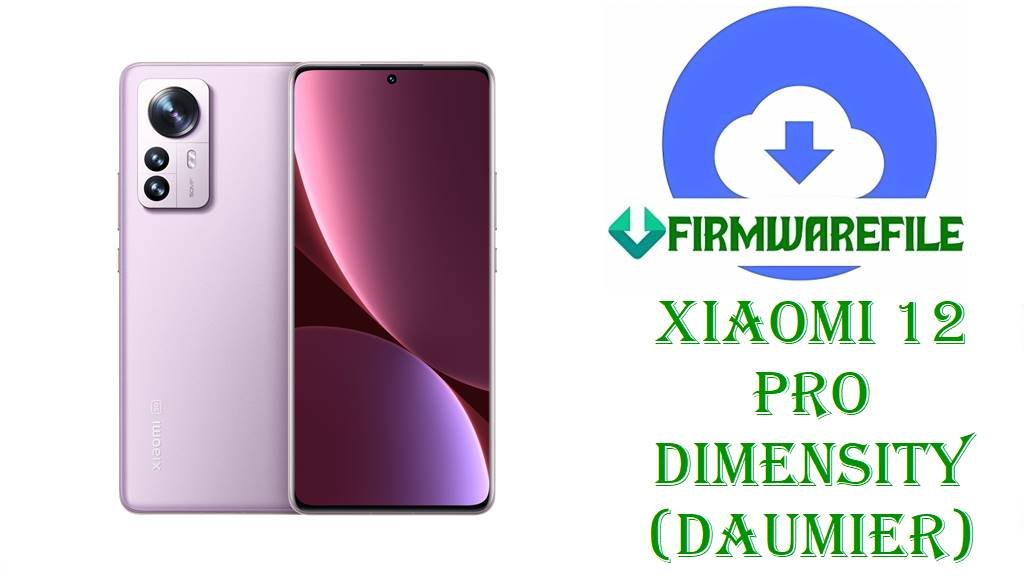
Xiaomi 12 Pro Dimensity (daumier) HyperOS 1 Fastboot ROM & Xiaomi.eu MIUI 14 Fastboot ROM (Android 14 / 13)
Xiaomi 12 Pro Dimensity Edition delivers a flagship‑level experience with a high‑refresh AMOLED display, powerful Dimensity chipset, fast charging and premium build, tailored for demanding apps, gaming and camera use. As devices age, users often encounter issues such as lag after many incremental updates, random app crashes, failed OTAs or soft‑bricks when testing custom ROMs, especially on performance‑oriented phones like this.
This page is prepared after reviewing HyperOS 1.0 firmware trackers, Xiaomi 12 Pro Dimensity (daumier) MIUI/HyperOS ROM archives and Xiaomi.eu releases, so each package here is confirmed for Xiaomi 12 Pro Dimensity (codename daumier) only, covering one official HyperOS 1 Fastboot ROM and one Xiaomi.eu MIUI 14 Android 13 fastboot‑style ROM.
File Selection Guide.
The build numbers and filenames expose the codename, Android version, region and branch (HyperOS vs MIUI); verifying these before flashing prevents cross‑device or wrong‑branch installation issues.
- Device and codename: HyperOS and MIUI trackers list Xiaomi 12 Pro Dimensity Edition under codename daumier, and both filenames here include
DAUMIERordaumier_images_..., confirming they target this device. - Official vs custom:
daumier_images_OS2.0.6.0.ULGCNXM_...is an official China HyperOS 1 Fastboot ROM (Android 14), whilexiaomi.eu_multi_DAUMIER_V14.0.4.0.TLGCNXM_v14-13-fastboot.zipis a Xiaomi.eu custom MIUI 14 ROM based on a China MIUI 14 Android 13 build (V14.0.4.0.TLGCNXM). - HyperOS / MIUI branches: HyperOS trackers show OS2.0.6.0.ULGCNXM as a HyperOS 1.0 Android 14 Stable build for daumier, while MIUIROM pages describe V14.0.4.0.TLGCNXM as a MIUI 14 Android 13 China Stable for the same device.
- Region suffix: The official ROM uses
ULGCNXM(CNXM = China region), whereas the Xiaomi.eu ROM is built from a China base but distributed as a region‑agnostic custom ROM; by design it targets the same codename but with extra languages and tweaks. - ROM type: The
daumier_images_....tgzfile is a classic Fastboot ROM (PC flashing, fullimagesset), while the Xiaomi.eu file is a.zip“fastboot” package that Xiaomi.eu installs via its own fastboot installer or recovery, according to project documentation.
Download Official Firmware for Xiaomi 12 Pro Dimensity (daumier)
China HyperOS 1 Fastboot ROM – OS2.0.6.0.ULGCNXM (Android 14)
- Filename: daumier_images_OS2.0.6.0.ULGCNXM_20250617.0000.00_14.0_cn_f4b2ee1623.tgz
- Region: China (ULGCNXM – CNXM = China region suffix)
- File Size: 6.86GB
- Build Date: 2025‑06‑17
- HyperOS Version: OS2.0.6.0.ULGCNXM
- Android Version: 14.0 (HyperOS 1 base)
- Flashing Type: Fastboot ROM (.tgz, full images package)
- Tracker note: Listed as HyperOS 1 China Stable for Xiaomi 12 Pro Dimensity (daumier) with Fastboot and Recovery options.
- Download Link: Download OS2.0.6.0 China Fastboot ROM (Xiaomi 12 Pro Dimensity)
Xiaomi.eu MIUI 14 Fastboot ROM – V14.0.4.0.TLGCNXM (Android 13 base)
- Filename: xiaomi.eu_multi_DAUMIER_V14.0.4.0.TLGCNXM_v14-13-fastboot.zip
- Base: China MIUI 14 V14.0.4.0.TLGCNXM for daumier (Android 13)
- File Size: 4.6GB
- Type: Xiaomi.eu custom ROM (multi‑language, debloated, not official Xiaomi firmware)
- Android Version (base): 13 (MIUI 14)
- Flashing Type: Fastboot‑style
.zipused with Xiaomi.eu’s installer or recommended method for daumier. - Download Link: Download Xiaomi.eu Multi DAUMIER V14.0.4.0 MIUI 14 Fastboot ROM
Xiaomi 12 Pro Dimensity (daumier) Device + Firmware Details
| Device Name | Xiaomi 12 Pro Dimensity Edition |
|---|---|
| Codename | daumier (used by HyperOS/MIUI and Xiaomi.eu ROM entries) |
| Platform | MediaTek Dimensity‑class flagship SoC (Dimensity 9000/9000‑series, depending on listing), focused on high performance and efficiency. |
| Display | Flagship‑grade AMOLED display with high refresh rate and high resolution, shared with Xiaomi 12 Pro family styling. |
| Battery / Charging | High‑capacity battery with fast charging, tuned for quick top‑ups typical of Xiaomi 12‑series Pro devices. |
| Software families | Originally shipped with MIUI based on Android 12/13; now listed with HyperOS 1 Android 14 builds such as OS2.0.6.0.ULGCNXM and prior MIUI 14 Android 13 builds like V14.0.4.0.TLGCNXM. |
| Firmware branch here | Official HyperOS 1.0 (Android 14) China Fastboot ROM and Xiaomi.eu MIUI 14 (Android 13) custom fastboot ROM for daumier. |
| Typical use cases | Upgrading to HyperOS 1, recovering from bootloops, going back to stock after custom ROMs, or switching to Xiaomi.eu MIUI 14 for extra languages and tweaks. |
| Flash methods | Official Fastboot ROM via Mi Flash Tool / Fastboot scripts; Xiaomi.eu ROM via project‑specific fastboot/recovery method for daumier. |
| Bootloader status | Bootloader unlocking is generally required for Fastboot flashing and custom ROM installation on Xiaomi 12 Pro Dimensity. |
Flashing Requirements
Both the official HyperOS Fastboot ROM and Xiaomi.eu MIUI 14 fastboot ROM can wipe user data, so a full backup of photos, chats and app data is strongly recommended before flashing.
A Windows PC, a stable USB‑C cable and properly installed Xiaomi/MediaTek drivers are required so Fastboot and Mi Flash Tool (or Xiaomi.eu’s installer) can detect Xiaomi 12 Pro Dimensity (daumier).
An unlocked bootloader is typically needed for Fastboot and custom ROM flashing, following Xiaomi’s official unlock procedure and the Xiaomi.eu installation notes.
The battery should be charged to at least 50%, and the USB connection must remain stable throughout flashing to avoid corruption or hard‑brick.
📱How to Flash the Firmware
Method 1: HyperOS 1 Fastboot ROM via Mi Flash Tool
- Download and extract: Save
daumier_images_OS2.0.6.0.ULGCNXM_20250617.0000.00_14.0_cn_f4b2ee1623.tgzand extract it on the PC to a folder containing theimagesdirectory and flash scripts. - Enter Fastboot mode: Power off Xiaomi 12 Pro Dimensity, enter Fastboot mode and connect it to the computer via USB‑C.
- Load ROM in Mi Flash: Open Mi Flash Tool, select the extracted daumier ROM folder and make sure the device is detected in the tool.
- Flash HyperOS 1: Choose the desired flashing option (clean flash usually wipes data), click “Flash” and wait for Mi Flash Tool to complete writing the OS1.0/OS2.0.6.0.ULGCNXM firmware.
- Reboot and configure: Let the phone reboot into HyperOS 1 Android 14 and finish the initial setup before restoring backups.
For detailed Mi Flash usage, drivers and screenshots, this tutorial is recommended: How to Flash Xiaomi Firmware with Mi Flash Tool
Method 2: Fastboot Script (flash_all.bat style) for HyperOS ROM
- Unpack the ROM: Extract the
.tgzHyperOS ROM and locateflash_all.batand related scripts in the daumier ROM directory. - Prepare the device: Boot into Fastboot mode and connect Xiaomi 12 Pro Dimensity to the PC; confirm Fastboot tools detect the phone.
- Run the script: Execute
flash_all.bat(or the recommended script) to flash all required partitions for OS2.0.6.0.ULGCNXM; scripts usually perform a full wipe. - Wait for completion: Keep the cable connected until the script window shows that flashing is completed and the phone can reboot.
- First HyperOS boot: Allow extra time for the first boot into HyperOS 1 Android 14 before signing in and restoring data.
For more detail on Fastboot scripts and flash_all.bat, this reference is useful: How to Flash Stock Firmware Using a Fastboot Script (flash_all.bat)
Method 3: Xiaomi.eu MIUI 14 Fastboot ROM (general outline)
- Check base & codename: Confirm that the filename
xiaomi.eu_multi_DAUMIER_V14.0.4.0.TLGCNXM_v14-13-fastboot.zipmatches codename DAUMIER and base build V14.0.4.0.TLGCNXM. - Follow Xiaomi.eu instructions: Use the Xiaomi.eu guide for daumier, which typically involves an unlocked bootloader and either a fastboot‑based installer or a custom recovery method for MIUI 14.
- Backup and wipe: Back up data, then wipe the recommended partitions according to Xiaomi.eu’s installation notes before flashing the ROM zip.
- Flash Xiaomi.eu ROM: Use the prescribed Xiaomi.eu installer or recovery to flash the
_v14-13-fastboot.zippackage on Xiaomi 12 Pro Dimensity. - Reboot into Xiaomi.eu MIUI 14: Reboot and wait for the first Xiaomi.eu MIUI 14 Android 13 boot, then complete setup and restore apps.
Exact Xiaomi.eu flashing steps may change, so checking the latest Xiaomi 12 Pro Dimensity (daumier) thread on the Xiaomi.eu forum is recommended before installation.
Frequently Asked Questions (FAQs)
Is OS2.0.6.0.ULGCNXM confirmed as Xiaomi 12 Pro Dimensity (daumier) HyperOS 1 (Android 14)?
HyperOS and firmware portals label OS2.0.6.0.ULGCNXM as a China HyperOS 1.0 Android 14 Stable release for “Xiaomi 12 Pro Dimensity (daumier)” and list the matching daumier_images_OS2.0.6.0.ULGCNXM_... Fastboot ROM.
Can Global Xiaomi 12 Pro or other 12‑series devices flash this daumier OS2.0.6.0.ULGCNXM ROM?
No; codename lists distinguish daumier from other Xiaomi 12 Pro variants, and the ROM is flagged for the Dimensity Edition only; cross‑flashing between different codenames and hardware is not recommended.
What is the difference between OS2.0.6.0.ULGCNXM and Xiaomi.eu_multi_DAUMIER_V14.0.4.0.TLGCNXM_v14-13-fastboot.zip?
The former is an official China HyperOS 1 Android 14 Fastboot ROM, while the latter is a Xiaomi.eu custom MIUI 14 Android 13 ROM based on V14.0.4.0.TLGCNXM, with added languages and modifications.
Does flashing the HyperOS 1 Fastboot ROM on Xiaomi 12 Pro Dimensity wipe all data?
Fastboot ROM and flash_all.bat procedures are documented as clean installs that usually erase user data, so backups are strongly advised before installing OS2.0.6.0.ULGCNXM.
Is Xiaomi 12 Pro Dimensity listed among official HyperOS 1/2 devices?
HyperOS eligible device lists and dedicated daumier pages include Xiaomi 12 Pro Dimensity as a HyperOS device, and OS1.0/OS2.0 builds like OS2.0.6.0.ULGCNXM appear in those tables.
Can the Xiaomi.eu MIUI 14 daumier ROM be considered “official Xiaomi”?
No; Xiaomi.eu ROMs are community builds based on stock bases, and the DAUMIER V14.0.4.0 MIUI 14 package is described as a custom ROM, not an official Xiaomi firmware.
Will updating from Xiaomi.eu MIUI 14 to official HyperOS 1 via Fastboot cause problems?
Moving from Xiaomi.eu MIUI 14 to stock HyperOS 1 using the official Fastboot ROM is common practice, but it should be treated as a clean install with full data wipe and careful attention to bootloader and partition flashing guidance.