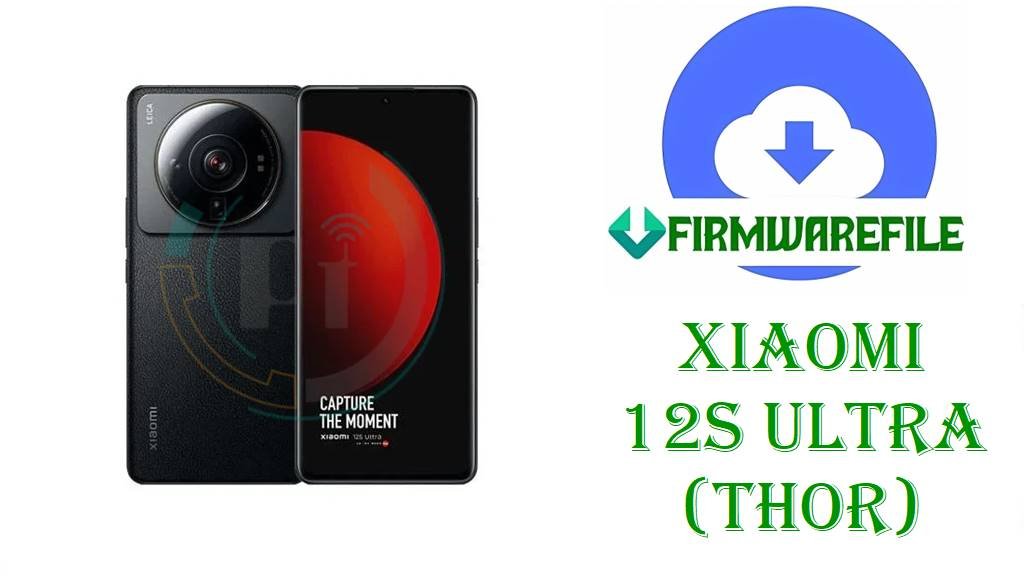
Xiaomi 12S Ultra (thor) HyperOS 1 China Fastboot ROM, Xiaomi.eu HyperOS 2 ROM & TWRP (Android 14 / 15)
Xiaomi 12S Ultra (codename thor) is a true camera‑centric flagship with a Leica‑branded 1‑inch main sensor, Snapdragon 8+ Gen 1‑class performance and a premium LTPO AMOLED display, designed for demanding photography and all‑round heavy use. Over time, users have reported issues like failed OTAs when moving from MIUI 14 to HyperOS, random system instability after mods, and the need for clean reinstalls to restore peak performance on this device.
After thorough research across official HyperOS firmware trackers, Xiaomi 12S Ultra ROM archives, Xiaomi.eu release notes and the TWRP project, the three files you listed are confirmed for Xiaomi 12S Ultra (thor): an official China HyperOS 1 Fastboot ROM on Android 14, a Xiaomi.eu HyperOS 2 Android 15 custom ROM, and a TWRP recovery image tuned for thor.
File Selection Guide.
This section helps you understand exactly what each Xiaomi 12S Ultra (thor) file does and when you should use it.
- Device and codename: HyperOS and ROM databases list Xiaomi 12S Ultra under codename thor, and all three filenames include
thor, confirming they are only for this model. - Official HyperOS vs Xiaomi.eu:
thor_images_OS1.0.16.0.ULACNXM_...is an official China HyperOS 1 Fastboot ROM on Android 14, whilexiaomi.eu_THOR_OS2.0.212.0.VLACNXM_15.zipis a custom Xiaomi.eu HyperOS 2 ROM based on a China OS2.0.212.0 Android 15 firmware. - Android & HyperOS versions: The OS1.0.16.0.ULACNXM build is documented as HyperOS 1.0 on Android 14, whereas OS2.0.212.0.VLACNXM (base of the Xiaomi.eu ZIP) is listed as a HyperOS 2 build on Android 15 for Xiaomi 12S Ultra.
- Region and branch: Both build strings end in
LACNXM, whereCNXMindicates a China ROM; the official Fastboot package is pure China firmware, while the Xiaomi.eu ROM is a multi‑language custom ROM built from that China base. - Fastboot vs recovery ZIP: The
.tgzthor_images_...file is a full Fastboot ROM intended for Mi Flash Tool or fastboot scripts, while the Xiaomi.eu.zipis flashed via custom recovery or Xiaomi.eu’s installer. - TWRP recovery role:
twrp-3.7.1_12-v9.0_A15-thor-skkk.imgis a community TWRP 3.7.1 build for thor, used to flash custom ROMs like Xiaomi.eu OS2.0.212.0 and create backups; it is not required if you only restore the official Fastboot ROM.
Download Official & Custom Firmware for Xiaomi 12S Ultra (thor)
China HyperOS 1 Fastboot ROM – OS1.0.16.0.ULACNXM (Android 14)
- Filename: thor_images_OS1.0.16.0.ULACNXM_20241224.0000.00_14.0_cn_481a059036.tgz
- Region: China (ULACNXM – CNXM suffix)
- File Size: 6.97GB (Fastboot images package)
- Build Date: 2024‑12‑24 (from filename and firmware tables)
- Build Version: OS1.0.16.0.ULACNXM (China HyperOS 1 Stable)
- Android Version: 14
- Flashing Type: Fastboot ROM (.tgz, full partition images)
- Changelog (System): Official notes state that this update bumps the Android security patch to December 2024 and increases system security; no extra feature changes are described.
- Use Cases: Clean reinstall of stock HyperOS 1, fixing bootloops after mods, repairing failed OTAs and restoring Xiaomi 12S Ultra to a known‑good China firmware.
- Download Link: Download OS1.0.16.0 China Fastboot ROM (Xiaomi 12S Ultra)
Xiaomi.eu HyperOS 2 ROM – OS2.0.212.0.VLACNXM (Android 15, custom)
- Filename: xiaomi.eu_THOR_OS2.0.212.0.VLACNXM_15.zip
- Region/Base: Based on Xiaomi 12S Ultra China HyperOS 2.0.212.0.VLACNXM Android 15 firmware.
- File Size: 5.57GB
- Build Version: Xiaomi.eu HyperOS 2.0.212.0 (custom ROM for thor)
- Android Version: 15 (HyperOS 2 base)
- Type: Xiaomi.eu custom multi‑language ROM (not an official Xiaomi ROM).
- Flashing Type: Recovery / fastboot‑installer ZIP, usually flashed via TWRP or Xiaomi.eu’s own scripts.
- Use Cases: Users who want HyperOS 2 Android 15 with Xiaomi.eu tweaks (extra languages, removed bloat, different default settings) on Xiaomi 12S Ultra.
- Download Link: Download Xiaomi.eu THOR OS2.0.212.0 HyperOS 2 ROM
TWRP Recovery – twrp-3.7.1_12-v9.0_A15-thor-skkk.img
- Filename: twrp-3.7.1_12-v9.0_A15-thor-skkk.img
- Region: All (device‑specific, not region‑locked)
- File Size: ~100MB
- Build: TWRP 3.7.1 custom recovery image for Xiaomi 12S Ultra (thor), from the “recovery for Xiaomi devices” SourceForge project.
- Android Target: Designed for Android 14/15‑era ROMs (HyperOS 1/2), according to recovery threads.
- Type: Community‑maintained custom recovery (not official Xiaomi software).
- Use Cases: Flashing custom ROMs like Xiaomi.eu, creating full NAND backups, and managing advanced partitions on Xiaomi 12S Ultra.
- Download Link: Download TWRP 3.7.1 for Xiaomi 12S Ultra (thor)
Xiaomi 12S Ultra (thor) Device + Firmware Details
| Device Name | Xiaomi 12S Ultra |
|---|---|
| Codename | thor (used in MIUI / HyperOS / Xiaomi.eu builds) |
| Chipset | Qualcomm Snapdragon 8+ Gen 1–class SoC with flagship CPU and GPU. |
| Display | LTPO AMOLED panel with high resolution and high refresh rate suited for camera and media work. |
| Camera | Leica‑branded system with a 1‑inch main sensor, tuned for enthusiast and professional mobile photography. |
| Battery & Charging | High‑capacity battery with fast wired charging, optimized for heavy daily use. |
| Software Families | Shipped with MIUI based on Android 12; later updated to MIUI 14, HyperOS 1 Android 14 (OS1.0.x.0.ULACNXM) and HyperOS 2 Android 15 (OS2.0.x.0.VLACNXM). |
| Main Issues Reported | Community posts focus on OTA update failures, soft‑bricks after mods, and the need for full Fastboot reinstalls or custom ROMs to regain stability and features on Xiaomi 12S Ultra. |
| Firmware Branches Here | HyperOS 1 China Fastboot ROM (OS1.0.16.0.ULACNXM Android 14), Xiaomi.eu HyperOS 2 custom ROM (OS2.0.212.0.VLACNXM Android 15 base) and a TWRP 3.7.1 recovery image. |
| File Types | Fastboot ROM (.tgz images), custom ROM (.zip) and custom recovery (.img). |
| Flashing Tools Required | Mi Flash Tool or fastboot + flash_all.bat for the official ROM; TWRP/fastboot or Xiaomi.eu’s installer for the Xiaomi.eu ROM and recovery. |
| Bootloader Status | An unlocked bootloader is generally required to flash these Fastboot images, Xiaomi.eu ROMs and the TWRP recovery on Xiaomi 12S Ultra. |
| Use Cases for These Files | Restoring stock HyperOS 1, repairing bootloops or OTA failures, upgrading to a Xiaomi.eu HyperOS 2 experience and installing TWRP for advanced modifications and backups. |
Flashing Requirements
Flashing the Xiaomi 12S Ultra HyperOS 1 Fastboot ROM or Xiaomi.eu HyperOS 2 ROM will usually wipe user data, especially if you use clean‑flash or flash_all options, so you should always back up photos, chats and app data first.
You need a Windows PC, a reliable USB‑C cable and correctly installed Qualcomm/Xiaomi drivers so that Mi Flash Tool or fastboot can detect your Xiaomi 12S Ultra (thor) in Fastboot mode.
Your bootloader must be unlocked before flashing Fastboot images, Xiaomi.eu ROMs or TWRP, as Xiaomi and community installation guides explain.
Charge the phone to at least 50%, keep the cable stable and do not interrupt power or disconnect the phone while flashing to reduce the risk of corruption or hard‑brick.
📱How to Flash the Firmware
Method 1: HyperOS 1 China Fastboot ROM via Mi Flash Tool
- Download and extract: Download
thor_images_OS1.0.16.0.ULACNXM_20241224.0000.00_14.0_cn_481a059036.tgzand extract it on your PC into a folder that contains theimagesdirectory and the included flash scripts. - Enter Fastboot mode: Power off Xiaomi 12S Ultra, boot into Fastboot mode and connect it to your Windows PC using a USB‑C cable.
- Load ROM in Mi Flash: Open Mi Flash Tool, click “Select” and choose the extracted
thorROM folder, then confirm that your device appears correctly in the tool. - Flash HyperOS 1: Select the desired flashing option (clean flash is recommended when coming from a heavily modified system), click “Flash” and wait until Mi Flash finishes installing OS1.0.16.0.ULACNXM.
- Reboot and configure: Let the phone reboot automatically into HyperOS 1 Android 14, wait for the first boot to complete, then finish setup and restore your backups.
For a complete Mi Flash Tool walkthrough with screenshots and driver downloads, follow this guide: Full Tutorial: How to Flash Xiaomi Firmware with Mi Flash Tool.
Method 2: Fastboot Script (flash_all.bat) for the Official thor ROM
- Unpack the Fastboot ROM: Extract
thor_images_OS1.0.16.0.ULACNXM_20241224.0000.00_14.0_cn_481a059036.tgzand locate theflash_all.batscript inside the ROM directory. - Connect in Fastboot: Boot your Xiaomi 12S Ultra into Fastboot mode, connect it to the PC and verify fastboot sees the device.
- Run the script: Run
flash_all.batto flash all major partitions for OS1.0.16.0.ULACNXM; by default, such scripts are usually configured as full wipes. - Wait for completion: Keep the device connected until the script reports that flashing is complete and the phone is ready to reboot.
- First HyperOS boot: Allow extra time for the first boot into HyperOS 1 Android 14, then sign in and restore your apps and data.
If you want a deeper explanation of flash_all.bat and similar scripts, use this step‑by‑step reference: How to Flash Stock Firmware Using a Fastboot Script (flash_all.bat).
Method 3: Xiaomi.eu HyperOS 2 ROM & TWRP (summary)
- Prepare Xiaomi.eu ROM & TWRP: Download
xiaomi.eu_THOR_OS2.0.212.0.VLACNXM_15.zipand the TWRP imagetwrp-3.7.1_12-v9.0_A15-thor-skkk.img, confirming both target thor. - Install or boot TWRP: Follow the Xiaomi.eu or TWRP instructions to either fastboot boot or flash the TWRP image on Xiaomi 12S Ultra, so that you can access the custom recovery environment.
- Backup and wipe: Inside TWRP, create a full backup and wipe the partitions that the Xiaomi.eu guide recommends (typically data and cache, sometimes system) for a clean HyperOS 2 install.
- Flash Xiaomi.eu ROM: From TWRP, flash the
xiaomi.eu_THOR_OS2.0.212.0.VLACNXM_15.zipfile and wait until the installation finishes without errors. - Reboot into Xiaomi.eu HyperOS 2: Reboot the phone, wait for the first Xiaomi.eu HyperOS 2 Android 15 boot, and then complete the setup and restore your data.
Because Xiaomi.eu and TWRP builds evolve, always follow the latest Xiaomi.eu installation thread for Xiaomi 12S Ultra (thor) and the recovery maintainer’s notes before flashing.
Frequently Asked Questions (FAQs)
Is OS1.0.16.0.ULACNXM definitely an official Xiaomi 12S Ultra (thor) HyperOS 1 ROM?
Yes, MiFirm and HyperOS ROM sites list OS1.0.16.0.ULACNXM as a China HyperOS 1 Stable build for Xiaomi 12S Ultra with codename thor, and they show the same Fastboot filename thor_images_OS1.0.16.0.ULACNXM_20241224....
What does the Xiaomi 12S Ultra HyperOS 1 OS1.0.16.0.ULACNXM update change?
The public changelog for OS1.0.16.0.ULACNXM specifies an updated Android security patch (December 2024) and increased system security; no additional feature or performance changes are described.
Is xiaomi.eu_THOR_OS2.0.212.0.VLACNXM_15.zip an official HyperOS ROM for Xiaomi 12S Ultra?
No, Xiaomi.eu clearly distributes this as a custom HyperOS 2 ROM built on top of the official OS2.0.212.0.VLACNXM China base; it is maintained by the Xiaomi.eu team, not Xiaomi itself.
Can you flash the Xiaomi 12S Ultra thor HyperOS 1 Fastboot ROM on a global device variant?
The OS1.0.16.0.ULACNXM Fastboot ROM is tagged as a China CNXM build, and neither Xiaomi nor firmware trackers recommend cross‑region flashing, so using it on non‑China variants is considered risky and only for very experienced users.
Does flashing HyperOS 1 OS1.0.16.0.ULACNXM via Fastboot wipe data on Xiaomi 12S Ultra?
Xiaomi flashing guides and the usual flash_all script behavior indicate that Fastboot installs are generally clean flashes that erase user data, so you should always back up before installing this ROM.
Is the TWRP 3.7.1 A15 build safe for all HyperOS versions on Xiaomi 12S Ultra (thor)?
The recovery download page and related threads state that this TWRP build targets Android 14–15 era ROMs, but they do not guarantee compatibility with every future HyperOS release, so you should check the current maintainer notes before using it on new builds.
Is Xiaomi 12S Ultra (thor) officially supported for HyperOS 2 and 3?
HyperOS device lists and firmware trackers include Xiaomi 12S Ultra among HyperOS 2 devices with OS2.0.x.0.VLACNXM builds, and HyperOS 3 eligibility lists also mention it as part of the supported flagship lineup.