Xiaomi 13 (fuxi) HyperOS 3 / HyperOS 2 Fastboot ROMs, Xiaomi.eu ROM & TWRP (Official Downloads)
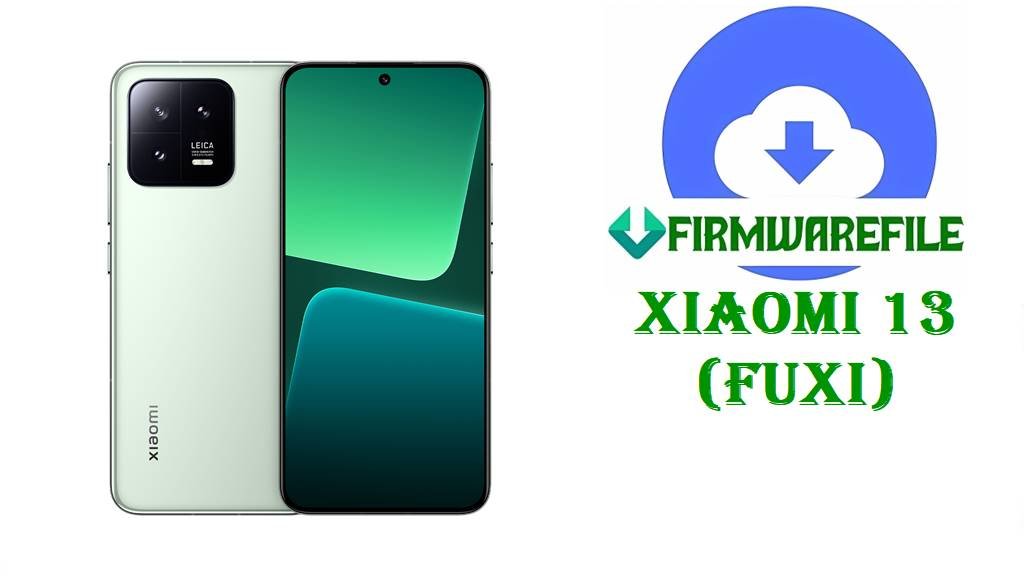
Xiaomi 13 (codename fuxi) is a compact flagship with a 6.36-inch 120Hz AMOLED display, Snapdragon 8 Gen 2, triple rear cameras, and a 4500mAh battery with 67W wired + 50W wireless charging. If you’re here, you likely want to repair a boot issue, roll back from a problematic upgrade, or install a clean official ROM for your region instead of relying on incremental OTA updates.
Notably, multiple Xiaomi.eu community members report that upgrading Xiaomi 13 (FUXI) from HyperOS 2 to HyperOS 3.0.2.0 can end in a persistent fastboot loop, while reverting back to HyperOS 2 works normally. When issues like that happen (or when a system update corrupts files), a full Fastboot ROM flash is one of the most common recovery paths because it rewrites the firmware partitions from scratch rather than “patching” the existing system.
File Selection Guide.
Choose carefully here—picking the wrong region/build is one of the fastest ways to create boot problems on Xiaomi devices.
- Confirm your device codename: These files are for Xiaomi 13 with codename fuxi.
- Pick the right region build: Official trackers list separate branches for Xiaomi 13 China, Global, EEA, Russia, Taiwan, and Turkey, each with its own ROM builds.
- Fastboot ROM (.tgz) vs ROM ZIP:
- .tgz = official Fastboot ROM packages (PC flashing / full reinstall).
- .zip = Xiaomi.eu custom ROM ZIP (typically installed via custom recovery).
- If you want HyperOS 3 (Android 16): Your list includes a China HyperOS 3.0.2.0 Fastboot ROM (Android 16), while other regions in your list are HyperOS 2 (Android 15).
- If you plan to install Xiaomi.eu HyperOS 3.0.2.0 on FUXI: Be aware that users have reported fastboot-loop behavior on Xiaomi 13 after installing FUXI_OS3.0.2.0, and some confirmed the same behavior when upgrading from 2.0 to 3.0.
Download Official Firmware for Xiaomi 13 (fuxi)
China HyperOS 3 Fastboot ROM – OS3.0.2.0.WMCCNXM (Android 16)
- Filename: fuxi_images_OS3.0.2.0.WMCCNXM_20251127.0000.00_16.0_cn_f4799ae6de.tgz
- Region: China (WMCCNXM)
- File Size: 8.38GB
- Build Date: 2025-11-27
- Build Version: OS3.0.2.0.WMCCNXM
- Android Version: 16.0
- Flashing Type: Fastboot ROM (.tgz)
- Download Link: Download OS3.0.2.0 China Fastboot ROM (Xiaomi OTA)
Global HyperOS 2 Fastboot ROM – OS2.0.202.0.VMCMIXM (Android 15)
- Filename: fuxi_global_images_OS2.0.202.0.VMCMIXM_20251011.0000.00_15.0_global_7fe83f5b86.tgz
- Region: Global (VMCMIXM)
- File Size: 7.32GB
- Build Date: 2025-10-11
- Build Version: OS2.0.202.0.VMCMIXM
- Android Version: 15.0
- Flashing Type: Fastboot ROM (.tgz)
- Download Link: Download OS2.0.202.0 Global Fastboot ROM (Xiaomi OTA)
Russia HyperOS 2 Fastboot ROM – OS2.0.202.0.VMCRUXM (Android 15)
- Filename: fuxi_ru_global_images_OS2.0.202.0.VMCRUXM_20251118.0000.00_15.0_ru_e1546d931d.tgz
- Region: Russia (VMCRUXM)
- File Size: 7.13GB
- Build Date: 2025-11-18
- Build Version: OS2.0.202.0.VMCRUXM
- Android Version: 15.0
- Flashing Type: Fastboot ROM (.tgz)
- Download Link: Download OS2.0.202.0 Russia Fastboot ROM (Xiaomi OTA)
EEA HyperOS 2 Fastboot ROM – OS2.0.204.0.VMCEUXM (Android 15)
- Filename: fuxi_eea_global_images_OS2.0.204.0.VMCEUXM_20251103.0000.00_15.0_eea_53b8209ba4.tgz
- Region: EEA / Europe (VMCEUXM)
- File Size: 7.27GB
- Build Date: 2025-11-03
- Build Version: OS2.0.204.0.VMCEUXM
- Android Version: 15.0
- Flashing Type: Fastboot ROM (.tgz)
- Download Link: Download OS2.0.204.0 EEA Fastboot ROM (Xiaomi OTA)
Taiwan HyperOS 2 Fastboot ROM – OS2.0.202.0.VMCTWXM (Android 15)
- Filename: fuxi_tw_global_images_OS2.0.202.0.VMCTWXM_20251118.0000.00_15.0_tw_4d7ec2a032.tgz
- Region: Taiwan (VMCTWXM)
- File Size: 6.57GB
- Build Date: 2025-11-18
- Build Version: OS2.0.202.0.VMCTWXM
- Android Version: 15.0
- Flashing Type: Fastboot ROM (.tgz)
- Download Link: Download OS2.0.202.0 Taiwan Fastboot ROM (Xiaomi OTA)
Turkey MIUI 14 Fastboot ROM – V14.0.3.0.TMCTRXM (Android 13)
- Filename: fuxi_tr_global_images_V14.0.3.0.TMCTRXM_20230208.0000.00_13.0_tr_1f37ffbcff.tgz
- Region: Turkey (TMCTRXM)
- File Size: 6.16GB
- Build Date: 2023-02-08
- Build Version: V14.0.3.0.TMCTRXM
- Android Version: 13.0
- Flashing Type: Fastboot ROM (.tgz)
- Download Link: Download V14.0.3.0 Turkey Fastboot ROM (Xiaomi OTA)
Optional: Xiaomi.eu ROM + Recovery
Xiaomi.eu HyperOS 3 ROM – FUXI OS3.0.2.0.WMCCNXM (Android 16)
- Filename: xiaomi.eu_FUXI_OS3.0.2.0.WMCCNXM_16.zip
- Type: Custom ROM ZIP
- File Size: 6.16GB
- Android Version: 16
- Important warning (real reports): Several users report a fastboot-loop on Xiaomi 13 (FUXI) after installing/upgrading to FUXI_OS3.0.2.0.WMCCNXM via Xiaomi.eu.
- Download Link: Download Xiaomi.eu FUXI OS3.0.2.0 (SourceForge)
TWRP for fuxi – twrp-3.7.1_12-v9.0_A15-fuxi-skkk.img
- Filename: twrp-3.7.1_12-v9.0_A15-fuxi-skkk.img
- Type: Custom recovery image
- File Size: 100MB
- Download Link: Download TWRP for fuxi (SourceForge)
Xiaomi 13 (fuxi) Device + Firmware Details
| Device Name | Xiaomi 13 |
|---|---|
| Codename | fuxi |
| Model Identifiers | 2211133C, 2211133G |
| Chipset | Qualcomm Snapdragon 8 Gen 2 |
| Display | 6.36-inch AMOLED, 120Hz |
| Battery / Charging | 4500mAh; 67W wired, 50W wireless |
| Why these files are trusted | XM Firmware Updater states its archive entries are official untouched HyperOS ROMs (not owned/modified by the site). |
| Known user-reported risk (Xiaomi.eu) | Users reported fastboot-loop behavior after installing/upgrading FUXI to Xiaomi.eu HyperOS 3.0.2.0. |
Flashing Requirements
Flashing can wipe your data, so back up photos, files, and authenticator apps before starting.
Use a Windows PC, a stable USB cable, and keep your Xiaomi 13 charged above 50% to reduce the risk of interruption.
Always re-check the region code in your filename (CNXM/MIXM/EUXM/RUXM/TWXM/TRXM) and flash only the build that matches your device’s branch.
How to Flash the Firmware
Method 1: Xiaomi Mi Flash Tool (Official Fastboot.tgz)
- Download the correct ROM: Example:
fuxi_eea_global_images_OS2.0.204.0.VMCEUXM_20251103.0000.00_15.0_eea_53b8209ba4.tgzfor EEA devices. - Extract: Fully extract the
.tgzuntil you can see the ROM folder contents (commonly animagesfolder and flash scripts). - Boot Fastboot mode: Power off the phone, then enter Fastboot mode and connect it to the PC.
- Flash: Open Mi Flash Tool, select the extracted ROM folder, and start flashing (a clean flash is often used when fixing corruption/boot issues).
- First boot: Reboot and wait—first boot after a full reinstall can take longer.
For a detailed step-by-step guide with screenshots and troubleshooting, use: Full Tutorial: Xiaomi MI Flash Tool (Fastboot ROM)
Method 2: Fastboot Script (flash_all.bat)
- Extract the ROM: Unpack your file (example:
fuxi_global_images_OS2.0.202.0.VMCMIXM_20251011.0000.00_15.0_global_7fe83f5b86.tgz) until the script files are visible. - Connect in Fastboot: Enter Fastboot mode and connect the phone via USB.
- Run the script: Run
flash_all.batfrom the extracted ROM folder. - Do not interrupt: Wait until the script finishes completely (USB instability can cause failures).
- Reboot: Restart and complete Android setup.
For a complete script-based flashing guide, use: Full Tutorial: Flash Stock Firmware Using flash_all.bat
Method 3: Xiaomi.eu ROM via TWRP (Advanced)
- Read the known risk first: Xiaomi.eu users have reported Xiaomi 13 (FUXI) fastboot-loop behavior after upgrading to OS3.0.2.0.
- Prepare files: Download
xiaomi.eu_FUXI_OS3.0.2.0.WMCCNXM_16.zipand your recovery imagetwrp-3.7.1_12-v9.0_A15-fuxi-skkk.img. - Boot custom recovery: Boot/flash TWRP for your device (steps vary by bootloader state and setup).
- Wipe & install: Wipe required partitions (per your ROM instructions), then install the Xiaomi.eu ZIP from TWRP.
- If it fails to boot: Use an official Fastboot ROM from the section above to return to stock.
Frequently Asked Questions (FAQs)
Is fuxi the Xiaomi 13 codename?
Yes—reputable HyperOS trackers list Xiaomi 13 under codename fuxi.
Which file should I download for Xiaomi 13 in Europe (EEA)?
Use the EEA Fastboot build in your list: OS2.0.204.0.VMCEUXM (EUXM branch).
Can a Fastboot ROM help if my Xiaomi 13 is stuck in a bootloop?
Bootloops can be caused by corrupted system files or firmware failures, and guides commonly recommend flashing a Fastboot ROM (.tgz) using Mi Flash as a recovery method.
Is there any known issue upgrading Xiaomi 13 (FUXI) to Xiaomi.eu HyperOS 3.0.2.0?
Yes—multiple users reported that upgrading/installing FUXI_OS3.0.2.0 on Xiaomi 13 resulted in a fastboot loop, and reverting back to HyperOS 2 worked.
What are the key specs of Xiaomi 13 that match this firmware family?
Xiaomi 13 includes Snapdragon 8 Gen 2, a 6.36-inch 120Hz AMOLED display, and a 4500mAh battery with 67W wired charging.