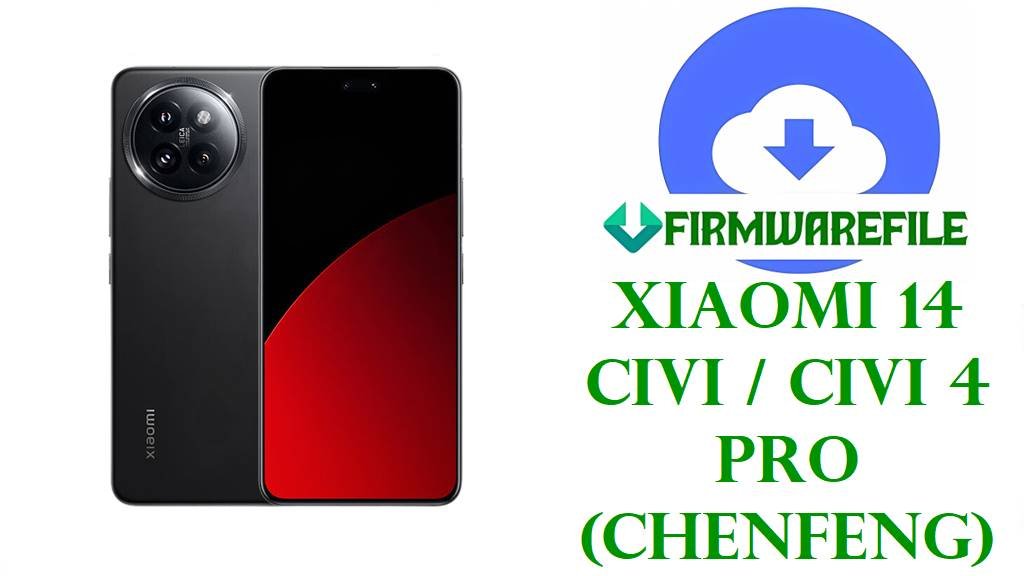
Xiaomi 14 Civi / Civi 4 Pro (chenfeng) HyperOS 2 Android 15 ROMs
The Xiaomi 14 Civi and Xiaomi Civi 4 Pro share the codename chenfeng and deliver a premium 6.55‑inch 1.5K 120 Hz AMOLED display, Snapdragon 8s Gen 3 processor, up to 12–16 GB RAM, fast UFS storage and a 4700 mAh battery with 67 W charging in a slim, Leica‑branded camera‑centric design.
Users praise camera quality and smooth performance but commonly report HyperOS‑related battery drain, background apps waking too often and more heat than expected under gaming or 5G, with Xiaomi noting known issues on earlier OS2.0.102.0.VNJINXM firmware for chenfeng.
The official HyperOS 2 Android 15 Fastboot ROMs OS2.0.207.0.VNJCNXM (China) and OS2.0.208.0.VNJINXM (India), plus the older HyperOS 1.0.10.0.UNJINXM Android 14 package, give Xiaomi 14 Civi / Civi 4 Pro owners clean system images to unbrick devices, fix broken OTAs and move between stable Android 14 and Android 15 bases.
Download Official Firmware for Xiaomi 14 Civi / Xiaomi Civi 4 Pro (chenfeng)
Xiaomi and community firmware trackers confirm that codename chenfeng is used for Xiaomi Civi 4 Pro in China and Xiaomi 14 Civi for India, with device IDs like 24053PY09C (China) and 24053PY09I (India). The Android 15 HyperOS 2 OS2.0.207.0.VNJCNXM and OS2.0.208.0.VNJINXM Fastboot ROMs are full images for clean flashing, while the HyperOS 1.0.10.0.UNJINXM Android 14 .zip is a recovery/OTA package for Indian units used via the system updater or sideload, not Mi Flash.
| Filename | Region / Target Variant | Build Version | Android / HyperOS | Build Date | File Size | Flashing Type | Notes | Download Link |
|---|---|---|---|---|---|---|---|---|
| chenfeng_images_OS2.0.207.0.VNJCNXM_20251013.0000.00_15.0_cn_09aa2a696a.tgz | China – Xiaomi Civi 4 Pro CN (VNJCNXM) | OS2.0.207.0.VNJCNXM | Android 15, HyperOS 2.0 China | 2025‑10‑13 | 8.37 GB | Official Fastboot ROM (.tgz) | Latest tracked Chinese Android 15 Fastboot build for chenfeng; sits above earlier OS2.0.5.0 and OS1.0.x China releases and is used to fully refresh or unbrick Civi 4 Pro units. | Download OS2.0.207.0 VNJCNXM China (Xiaomi server) |
| chenfeng_in_global_images_OS2.0.208.0.VNJINXM_20251107.0000.00_15.0_in_aee8db2f56.tgz | India – Xiaomi 14 Civi / Civi 4 Pro India (VNJINXM) | OS2.0.208.0.VNJINXM | Android 15, HyperOS 2.0 India | 2025‑11‑07 | 6.59 GB | Official Fastboot ROM (.tgz) | Recent Indian Android 15 HyperOS 2 Fastboot ROM; its changelog lists system stability optimizations and an October 2025 security patch, improving on earlier OS2.0.202.0/205.0 builds. | Download OS2.0.208.0 VNJINXM India (Xiaomi server) |
| miui_CHENFENGINGlobal_OS1.0.10.0.UNJINXM_5bc8e7a8e8_14.0.zip | India – Xiaomi 14 Civi HyperOS 1 Global (UNJINXM) | OS1.0.10.0.UNJINXM | Android 14, HyperOS 1.0 | N/A (HyperOS 1 era) | 5.36 GB | Recovery / OTA ROM (.zip) | Official Indian HyperOS 1.0 Android 14 update package for chenfeng; used via the built‑in updater or ADB sideload to install or restore stock Android 14 before moving to HyperOS 2 if desired. | Download OS1.0.10.0 UNJINXM India (Xiaomi server) |
Xiaomi 14 Civi / Civi 4 Pro (chenfeng) Firmware Details
| Device Names | Xiaomi Civi 4 Pro (China) and Xiaomi 14 Civi (India/global) share the same hardware and codename chenfeng. |
|---|---|
| Codename | chenfeng – internal codename seen in IMEI/Play Console leaks and official firmware for Xiaomi Civi 4 / 4 Pro and Xiaomi 14 Civi. |
| Model Identifiers | Examples include 24053PY09C for Civi 4 Pro China and 24053PY09I for Xiaomi 14 Civi India. |
| Chipset | Qualcomm Snapdragon 8s Gen 3 (4 nm) with 1×Cortex‑X4 prime core up to 3.0 GHz, 4×Cortex‑A720 performance cores and 3×Cortex‑A520 efficiency cores plus Adreno GPU. |
| Display | 6.55‑inch curved 1.5K AMOLED, 1236 × 2750 resolution, 120 Hz refresh rate, up to around 3000 nits peak brightness, protected by Gorilla Glass Victus 2. |
| Battery & Charging | 4700 mAh battery with 67 W wired fast charging, marketed for all‑day use while supporting very quick top‑ups. |
| Cameras | Leica‑branded rear triple camera: 50 MP main, 50 MP telephoto (2×) and 12 MP ultrawide, plus dual 32 MP front cameras on some variants for detailed selfies and 4K video. |
| Software Families | Shipped with Android 14 + HyperOS 1 (UNJINXM/UNJCNXM); later upgraded to Android 15 HyperOS 2 via chenfeng OS2.0.20x.0.VNJ* updates for China and India. |
| Main User‑Reported Issues | Across HyperOS devices with Snapdragon 8s Gen 3, users report noticeable battery drain, heating during gaming or 5G, and background apps reopening despite restrictions; Xiaomi lists Civi 4 Pro OS2.0.102.0.VNJINXM issues as “being worked on”. |
| What These ROMs Improve | OS2.0.208.0.VNJINXM’s changelog confirms system‑stability optimizations and an October 2025 security patch, so a clean Fastboot flash can remove bugs from earlier OTAs and give a hardened Android 15 base. |
| File Types | Full Fastboot archives (.tgz) for China/India Android 15 plus an Android 14 HyperOS 1 .zip OTA/recovery package for Indian devices. |
| Required Tools | Mi Flash Tool or fastboot scripts for the Fastboot ROMs; built‑in updater or ADB sideload for the HyperOS 1.0.10.0.UNJINXM .zip. |
| Bootloader Status | Bootloader must be unlocked for any Fastboot flash; OTA/recovery packages are intended for locked, unmodified systems. |
| Use Cases | Unbrick bootloops, fix failed HyperOS updates, move cleanly from Android 14 to Android 15 or vice versa and resolve many software‑side lag, drain or heat issues on Xiaomi 14 Civi / Civi 4 Pro. |
Before You Begin ⚙️
- 💾 Backup everything: Fastboot flashes and some recovery installs will wipe apps, accounts and internal storage; save your photos and files first.
- 🔋 Charge to at least 50 %: Avoid flashing if the Xiaomi 14 Civi / Civi 4 Pro battery is low to reduce the risk of shutdown and permanent brick.
- 💻 Use a Windows PC with drivers: Install Xiaomi USB/ADB drivers, Android platform‑tools and use a reliable USB‑C cable for Mi Flash or fastboot.
- 🔓 Unlock the bootloader for Fastboot: Use Xiaomi’s official unlock tool and verify product is chenfeng before flashing any .tgz ROM.
📱 How to Flash the Firmware
Method 1: Mi Flash Tool (Fastboot ROMs OS2.0.207.0 / OS2.0.208.0)
- Download & extract: Download the correct chenfeng_*_images_OS2.0.20x.0.VNJ* .tgz (China or India), then extract it to a simple folder such as C:\ROM\chenfeng on your PC.
- Install Mi Flash & drivers: Install Xiaomi USB/ADB drivers and the Mi Flash Tool on Windows.
- Enter fastboot mode: Power off the phone, hold Volume Down + Power until the fastboot logo appears, then connect it via USB‑C.
- Flash the ROM: Open Mi Flash, click Select and choose the extracted folder, set the option to “clean all” (do not relock), then press Flash and wait while all partitions are written.
- Reboot & update: When Mi Flash shows success, let the device reboot into Android 15 HyperOS 2, complete setup and then check for further OTAs in Settings → About phone → System update.
For a detailed Mi Flash step‑by‑step tutorial with screenshots and troubleshooting, use: Full Tutorial: Flash Xiaomi Firmware with Mi Flash Tool.
Method 2: Recovery / OTA Zip (HyperOS 1.0.10.0.UNJINXM Android 14)
- Copy the file: Place miui_CHENFENGINGlobal_OS1.0.10.0.UNJINXM_14.0.zip in the phone’s internal storage (or prepare it for ADB sideload) on an Indian Xiaomi 14 Civi running HyperOS.
- Enter recovery / updater: Either use Settings → About phone → System update → choose local package (if available) or boot to recovery with Volume Up + Power.
- Select the ROM: In recovery, choose “Install update from storage” or “Apply update from ADB” and point to the UNJINXM .zip file.
- Install and wait: Confirm the installation and wait without interrupting until the progress bar completes and recovery reports success.
- Reboot & configure: Reboot the phone into Android 14 HyperOS 1, then re‑add your accounts and apps or update later to Android 15 when stable.
For a complete guide to sideloading stock firmware .zip packages in recovery, see: Full Tutorial: How to Sideload Stock Firmware on Android (OTA).
Frequently Asked Questions (FAQs)
What problems can these HyperOS 2 ROMs fix on Xiaomi 14 Civi / Civi 4 Pro?
Flashing the correct chenfeng Fastboot ROM can recover devices from bootloops, failed OTAs, random reboots and many cases of lag or battery drain that stem from corrupted system files or buggy earlier HyperOS builds.
What is the difference between OS2.0.207.0.VNJCNXM and OS2.0.208.0.VNJINXM?
OS2.0.207.0.VNJCNXM targets Chinese Civi 4 Pro units, while OS2.0.208.0.VNJINXM is for Indian Xiaomi 14 Civi / Civi 4 Pro; both are Android 15 HyperOS 2, but only VNJINXM includes India‑specific apps and an October 2025 security patch for that region.
When would I use the older OS1.0.10.0.UNJINXM Android 14 package?
The HyperOS 1.0.10.0.UNJINXM .zip is useful if you want to stay on or return to a stable Android 14 base on Xiaomi 14 Civi, for example if HyperOS 2 causes issues and you prefer the previous major version.
Can these updates solve battery drain and heating on Snapdragon 8s Gen 3?
Newer OS2.0.208.0 builds focus on stability and updated security, and a clean flash plus debloating can reduce unnecessary background activity, but demanding games and 5G will still push the 8s Gen 3 chipset to run warm.
Can I convert a Chinese Civi 4 Pro to Xiaomi 14 Civi by flashing VNJINXM?
Cross‑flashing regions on an unlocked bootloader may boot, but it can break OTA updates, payments and some services and is risky if you ever relock, so staying on your original region code is safer.
How do I check that my device is really chenfeng?
You can confirm this by looking at the version string in Settings → About phone (it should contain “CHENFENG” and VNJ*/UNJ* codes) or by running fastboot getvar product in fastboot mode, which should return chenfeng.