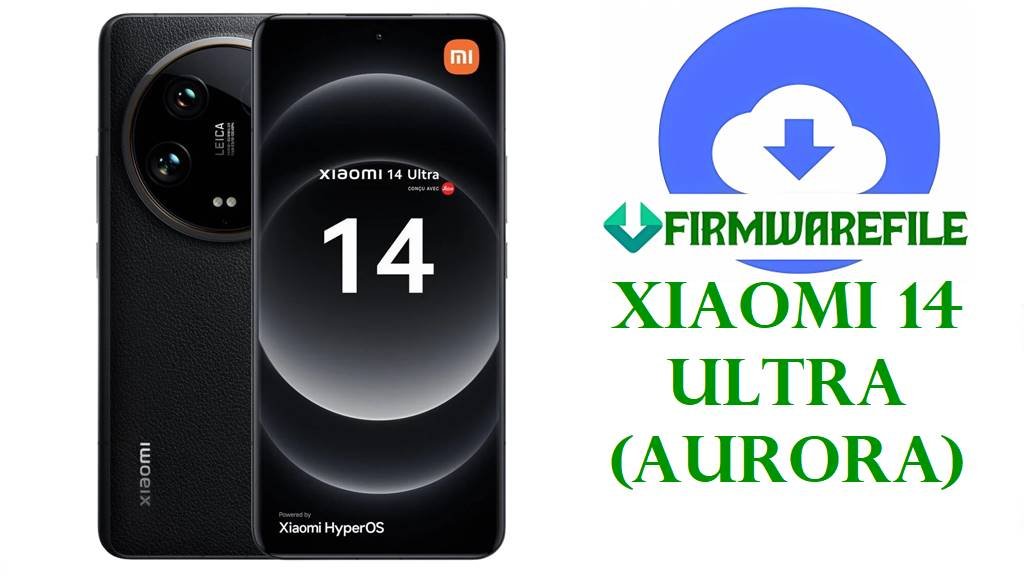
Xiaomi 14 Ultra (aurora) HyperOS 3 / 2 Fastboot & Xiaomi.eu ROMs
The Xiaomi 14 Ultra, codename aurora, is Xiaomi’s halo camera flagship with a 6.73‑inch WQHD+ LTPO AMOLED display, Snapdragon 8 Gen 3 chip, up to 16 GB LPDDR5X RAM, UFS 4.0 storage and a 5000 mAh battery with 90 W wired plus 50 W wireless charging.
Its Leica‑tuned quad 50 MP camera system and pro‑class video tools make it a favourite for enthusiasts, but users still report HyperOS‑related battery drain, occasional stutter and heat even on this high‑end hardware.
The official Android 16 HyperOS 3 Fastboot ROM OS3.0.4.0.WNACNXM for China, the Android 15 HyperOS 2 Fastboot builds OS2.0.207.0/208.0 VNA* for global regions, and the xiaomi.eu HyperOS 3 custom ROM listed below provide clean, up‑to‑date system images to unbrick, fix failed OTAs and restore peak performance on Xiaomi 14 Ultra.
Download Official Firmware File for Xiaomi 14 Ultra (aurora)
Official firmware indexes and HyperOS trackers show that aurora is the codename for Xiaomi 14 Ultra, with Android 15 HyperOS 2 stable builds under OS2.0.20x.0.VNA* for Global, EEA, India, Russia, Taiwan and Turkey, and Android 16 HyperOS 3 under OS3.0.4.0.WNACNXM for China (and OS3.0.3.0.WNAMIXM for Global).
The files below are full Fastboot ROMs suitable for Mi Flash Tool or flash_all.bat flashing on an unlocked bootloader, plus a xiaomi.eu HyperOS 3 custom fastboot ROM based on the Chinese OS3.0.4.0 build.
| Filename | Region / ROM Type | Build Version | Android / HyperOS | Build Date | File Size | Flashing Type | Notes | Download Link |
|---|---|---|---|---|---|---|---|---|
| aurora_images_OS3.0.4.0.WNACNXM_20251111.0000.00_16.0_cn_799bf68ee4.tgz | China – Xiaomi 14 Ultra CN (WNACNXM) | OS3.0.4.0.WNACNXM | Android 16, HyperOS 3.0 China | 2025‑11‑11 | 9.16 GB | Official Fastboot ROM (.tgz) | Chinese HyperOS 3 build for aurora; reports describe OS3.0.4.0.WNACNXM as a stable Android 16 update that refreshes the UI, adds new animations and targets stuttering and battery‑drain issues. | Download OS3.0.4.0 WNACNXM China (Xiaomi server) |
| aurora_global_images_OS2.0.207.0.VNAMIXM_20251031.0000.00_15.0_global_762521ba80.tgz | Global – Xiaomi 14 Ultra Global (VNAMIXM) | OS2.0.207.0.VNAMIXM | Android 15, HyperOS 2.0 Global | 2025‑10‑31 | 8.65 GB | Official Fastboot ROM (.tgz) | Android 15 HyperOS 2 Fastboot ROM for global Xiaomi 14 Ultra; firmware trackers list OS2.0.207.0.VNAMIXM as one of the latest stable pre‑HyperOS 3 builds with recent security patches. | Download OS2.0.207.0 VNAMIXM Global (Xiaomi server) |
| aurora_eea_global_images_OS2.0.208.0.VNAEUXM_20251105.0000.00_15.0_eea_75d372750f.tgz | EEA – Xiaomi 14 Ultra Europe (VNAEUXM) | OS2.0.208.0.VNAEUXM | Android 15, HyperOS 2.0 EEA | 2025‑11‑05 | 8.02 GB | Official Fastboot ROM (.tgz) | Newer EEA Android 15 Fastboot ROM; the VNAEUXM line also includes earlier HyperOS 1 OS1.0.15.0.UNAEUXM, with OS2.0.208.0 as a later HyperOS 2 release. | Download OS2.0.208.0 VNAEUXM EEA (Xiaomi server) |
| aurora_tw_global_images_OS2.0.205.0.VNATWXM_20251105.0000.00_15.0_tw_e1284956c1.tgz | Taiwan – Xiaomi 14 Ultra Taiwan (VNATWXM) | OS2.0.205.0.VNATWXM | Android 15, HyperOS 2.0 Taiwan | 2025‑11‑05 | 7.38 GB | Official Fastboot ROM (.tgz) | Taiwanese HyperOS 2 Android 15 Fastboot ROM following the same feature set as global firmware, but tuned for local regulations. | Download OS2.0.205.0 VNATWXM Taiwan (Xiaomi server) |
| aurora_tr_global_images_OS2.0.205.0.VNATRXM_20251106.0000.00_15.0_tr_577d1259cf.tgz | Turkey – Xiaomi 14 Ultra Turkey (VNATRXM) | OS2.0.205.0.VNATRXM | Android 15, HyperOS 2.0 Turkey | 2025‑11‑06 | 8.00 GB | Official Fastboot ROM (.tgz) | Turkish Android 15 Fastboot ROM; listed by update trackers as a stable VNA‑branch release for this market. | Download OS2.0.205.0 VNATRXM Turkey (Xiaomi server) |
| aurora_ru_global_images_OS2.0.205.0.VNARUXM_20251105.0000.00_15.0_ru_d968df022f.tgz | Russia – Xiaomi 14 Ultra Russia (VNARUXM) | OS2.0.205.0.VNARUXM | Android 15, HyperOS 2.0 Russia | 2025‑11‑05 | 8.64 GB | Official Fastboot ROM (.tgz) | Russian HyperOS 2 Fastboot image; part of the regional VNA* branch tracked for aurora. | Download OS2.0.205.0 VNARUXM Russia (Xiaomi server) |
| aurora_in_global_images_OS2.0.205.0.VNAINXM_20251105.0000.00_15.0_in_12fe767c06.tgz | India – Xiaomi 14 Ultra India (VNAINXM) | OS2.0.205.0.VNAINXM | Android 15, HyperOS 2.0 India | 2025‑11‑05 | 7.00 GB | Official Fastboot ROM (.tgz) | Indian Android 15 Fastboot ROM; HyperOS summary pages list OS2.0.205.0.VNAINXM alongside other VNA* builds as stable for Xiaomi 14 Ultra. | Download OS2.0.205.0 VNAINXM India (Xiaomi server) |
| xiaomi.eu_AURORA_OS3.0.4.0.WNACNXM_16.zip | xiaomi.eu Custom ROM – Multilingual HyperOS 3 (Android 16) | OS3.0.4.0.WNACNXM (xiaomi.eu) | Android 16, HyperOS 3.0 (modified) | Based on 2025‑11 CN build | 6.98 GB | Fastboot ROM (.zip with scripts) | Community HyperOS 3 ROM derived from Chinese WNACNXM firmware, with multi‑language support, Google services and reduced bloat for aurora; flashed via included fastboot scripts. | Download xiaomi.eu OS3.0.4.0 aurora (SourceForge) |
Xiaomi 14 Ultra (aurora) Stock Firmware Details
| Device Name | Xiaomi 14 Ultra (global and China variants). |
|---|---|
| Codename | aurora – internal codename used by all listed HyperOS 2 and HyperOS 3 builds for Xiaomi 14 Ultra. |
| Model Identifiers | 24030PN60G (Global) and 24031PN0DC (China), according to official firmware tables. |
| Chipset | Qualcomm Snapdragon 8 Gen 3 (4 nm), octa‑core CPU and Adreno 750‑class GPU for top‑tier flagship performance. |
| Display | 6.73‑inch LTPO AMOLED, 1440 × 3200 (WQHD+), 1–120 Hz adaptive refresh, high brightness and Xiaomi C8 panel for better efficiency. |
| Battery & Charging | 5000 mAh battery with 90 W wired and 50 W wireless charging, delivering very fast top‑ups but also capable of generating more heat under sustained loads. |
| Cameras | Leica quad 50 MP rear camera system (main, ultrawide, 3.2× telephoto, 5× periscope) plus a 32 MP selfie camera, with up to 8K video support. |
| Software Families | Launched with Android 14 HyperOS 1; updated to Android 15 HyperOS 2 via OS2.0.20x.0.VNA* and then to Android 16 HyperOS 3 through OS3.0.4.0.WNACNXM (China) and OS3.0.3.0.WNAMIXM (Global). |
| Main User‑Reported Issues | Flagship owners commonly mention HyperOS‑level battery drain, stutter and heating, with HyperOS 3 explicitly advertised as addressing these problems on devices like Xiaomi 14 Ultra. |
| What These ROMs Improve | Android 15 HyperOS 2 Fastboot ROMs provide a clean, stable base for unbricking and performance fixes, while HyperOS 3 Android 16 adds a refreshed UI, AI features and under‑the‑hood optimisations targeting lag and drain. |
| File Types | Official Xiaomi Fastboot archives (.tgz) plus one xiaomi.eu HyperOS 3 fastboot .zip with scripts. |
| Flashing Tools | Xiaomi Mi Flash Tool (Windows) or Android platform‑tools fastboot with flash_all.bat / xiaomi.eu install scripts. |
| Bootloader Status | Unlocked bootloader is required for all Fastboot and xiaomi.eu installs; OTA/recovery packages for the same versions are for locked stock systems only. |
| Use Cases | Recover from bootloops or soft bricks, fix failed HyperOS updates, downgrade or upgrade between Android 15 and 16, and clean up long‑term lag, drain or bloat on Xiaomi 14 Ultra. |
Before You Begin ⚙️
- 💾 Backup data: Fastboot and custom ROM flashes usually wipe apps, accounts and internal storage; save photos and important files first.
- 🔋 Charge battery: Ensure your Xiaomi 14 Ultra has at least 50 % charge before flashing to avoid shutdowns and possible hard‑brick.
- 💻 Use a Windows PC & drivers: Install Xiaomi USB/ADB drivers and Android platform‑tools, and use a reliable USB‑C cable for Mi Flash or fastboot.
- 🔓 Unlock bootloader: Use Xiaomi’s official unlock tool and verify fastboot getvar product returns aurora before flashing any Fastboot ROM or xiaomi.eu build.
📱 How to Flash the Firmware
Method 1: Xiaomi Mi Flash Tool (Official Fastboot ROMs)
- Download & extract: Download the correct aurora_*_images_OS2.0.20x.0.VNA* or OS3.0.4.0.WNACNXM .tgz file for your region and extract it to a simple folder such as C:\ROM\aurora on your PC.
- Install Mi Flash & drivers: Install Xiaomi USB/ADB drivers and Mi Flash Tool on your Windows computer.
- Boot to fastboot: Power off the phone, hold Volume Down + Power until the fastboot screen appears, then connect it to the PC with a USB‑C cable.
- Flash the ROM: Open Mi Flash, click Select and choose the extracted ROM folder, select “clean all” (do not relock), then press Flash and wait until all partitions are written and a success message appears.
- Reboot & update: Let the phone reboot into HyperOS, complete setup and then check for newer OTA updates in Settings → About phone → System update.
For a full Mi Flash step‑by‑step tutorial with screenshots and troubleshooting, see: Full Tutorial: Flash Xiaomi Firmware with Mi Flash Tool.
Method 2: Fastboot Scripts & xiaomi.eu HyperOS 3
- Prepare tools & ROM: Install Android platform‑tools on your PC and download either an official Fastboot ROM or xiaomi.eu_AURORA_OS3.0.4.0.WNACNXM_16.zip, then extract it to reveal the images and .bat scripts.
- Connect in fastboot: Boot aurora into fastboot mode, connect to the PC and verify fastboot devices shows your phone.
- Run the script: For stock ROMs, run the flash_all.bat script that keeps the bootloader unlocked; for xiaomi.eu, use the provided “first install with data format” script for a clean install.
- Wait for flashing to finish: Do not disconnect the cable or close the window until the script completes and the device reboots or reports success.
- Finish setup & optimise: Complete Android setup, then debloat or limit background apps to help HyperOS 2/3 control heat and battery drain on Snapdragon 8 Gen 3.
For more detail on using fastboot scripts safely, refer to: Full Tutorial: Flash Stock Firmware Using a Fastboot Script (flash_all.bat).
Frequently Asked Questions (FAQs)
What issues can these HyperOS 2/3 ROMs fix on Xiaomi 14 Ultra?
Correctly flashing the regional Fastboot ROM can recover the phone from bootloops or failed OTAs and often solves HyperOS‑related lag, random reboots and some battery‑drain or stuttering issues caused by corrupted system files.
Should I stay on HyperOS 2 (Android 15) or move to HyperOS 3 (Android 16)?
HyperOS 2 is a mature Android 15 base, while HyperOS 3 Android 16 for Xiaomi 14 Ultra brings a refreshed UI, optimisations to address stutter and drain, new AI features and the latest security patches, so most users will benefit from upgrading once it is stable in their region.
What is the difference between WNACNXM and VNA* builds?
WNACNXM is the Chinese HyperOS 3 line for Xiaomi 14 Ultra, while VNA* codes (such as VNAMIXM, VNAEUXM, VNAINXM) identify Android 15 HyperOS 2 builds for Global, EEA, India, Russia, Taiwan and Turkey; you must match the suffix to your region.
Can these updates completely stop overheating on Xiaomi 14 Ultra?
HyperOS 3 focuses on better optimisation and can reduce unnecessary background load, but heavy 1.5K 120 Hz gaming and 5G will still push Snapdragon 8 Gen 3 to run hot, so using moderate graphics, stable Wi‑Fi and avoiding gaming while charging remains important.
Is it safe to flash China WNACNXM on a Global VNAMIXM device?
Cross‑flashing may boot with an unlocked bootloader, but it can break OTA updates, payments and region‑specific services and is risky if the bootloader is ever relocked, so sticking to the correct region code is strongly recommended.
How can I confirm my device is aurora before flashing?
Check the Version string in Settings → About phone (it should mention aurora and a VNA*/WNA* code) or run fastboot getvar product in fastboot mode; if the output is aurora, these ROMs are for your Xiaomi 14 Ultra.