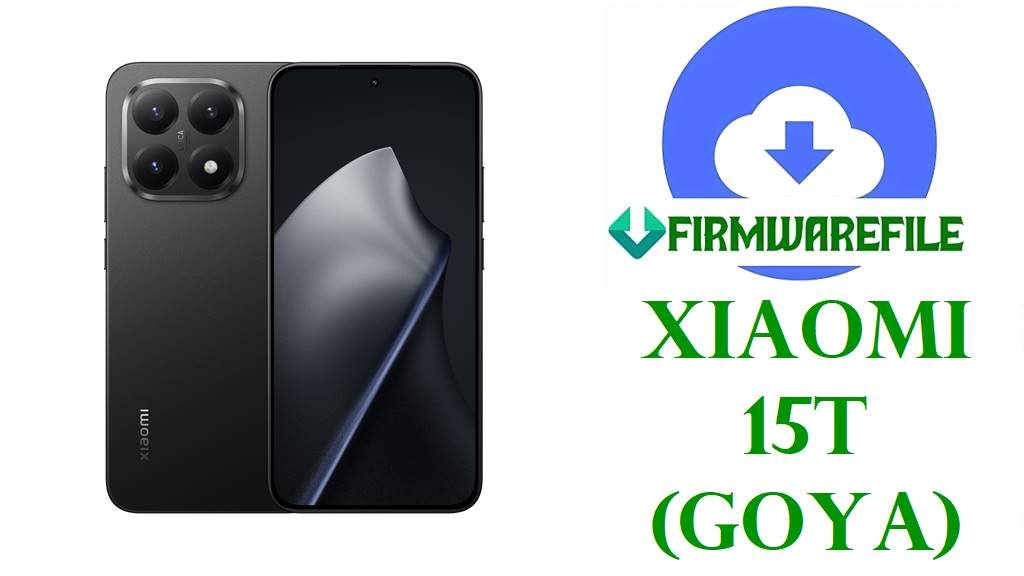
Xiaomi 15T (Goya) Official HyperOS Firmware Download, Device Information & Quick Flash Guide (All Regions)
Is your Xiaomi 15T (codename: goya) freezing, failing OTA updates, or facing glitches after a major system upgrade? Problems like sudden battery drain, app force closures, ongoing network drops, or recurrent bootloops have been actively discussed since the HyperOS rollout on this specific model. Reinstalling the correct official ROM for your region can resolve most stubborn issues and bring your phone back to life—no matter if you’re on Global, EEA, Russian, Indonesian, Taiwan, or Turkish software.
⚠️
CRUCIAL WARNING (Region Locks, Anti-Rollback & Compatibility):
- Always flash the firmware matching your device’s sales region/variant (e.g., EEA, RU, ID, TW, TR, Global MIXM). Xiaomi 15T (Goya) tightly enforces region-lock and ARB (Anti-Rollback Protection)—flashing a lower build or wrong region can brick your phone.
- NEVER downgrade HyperOS main version (e.g., OS3.x to OS2.x), or Android version (e.g., 16 to 15). Downgrades and cross-region restore attempts are a common source of soft/hard bricks according to user reports (especially between EEA/Global and RU builds).
- Before flashing, always backup user data and verify your bootloader/region status in the phone’s About section or recovery mode.
Xiaomi 15T (Goya) Device Information
| Detail | Information |
|---|---|
| Device Name | Xiaomi 15T |
| Codename | goya |
| Model | Global, EEA, RU, ID, TW, TR (region specific) |
| Chipset | MediaTek Dimensity 8400 Ultra (4nm), Octa-core (1×3.25 GHz, 3×3.0 GHz, 4×2.1 GHz) |
| GPU | Mali-G720 MC7 |
| RAM & Storage | 12GB LPDDR5X / 256GB or 512GB UFS 4.1 |
| Display | 6.83″ AMOLED, 2772×1280, 120Hz |
| Battery | 5500mAh, 67W charging (USB-C) |
| Cameras | 50MP Main (Leica lens) + 50MP Telephoto + 12MP Ultrawide |
| Android / OS | Android 15 / 16, HyperOS 2 & 3 |
| Other | Dual-SIM, IP68, eSIM support, under-display FP sensor |
Firmware Download: Xiaomi 15T (Goya) – Official HyperOS (All Regions)
| Filename | Android | OS Version | Region | Build Date | Type | Size | Notes | Download |
|---|---|---|---|---|---|---|---|---|
| goya_global_images_OS2.0.207.0.VOEMIXM_20251020.0000.00_15.0_global_d366fd9f3c.tgz | 15 | OS2.0.207.0.VOEMIXM | Global (EM) | 2025-10-20 | Full (Fastboot) | 8.32GB | Latest OS2 Global build; EM version for international/India retail. | Direct |
| goya_ru_global_images_OS2.0.204.0.VOERUXM_20251017.0000.00_15.0_ru_927417c92e.tgz | 15 | OS2.0.204.0.VOERUXM | Russia (RU) | 2025-10-17 | Full (Fastboot) | 8.11GB | Older RU regional ROM, only use for RU editions. | Direct |
| goya_id_global_images_OS2.0.207.0.VOEIDXM_20251028.0000.00_15.0_id_74cdee70b8.tgz | 15 | OS2.0.207.0.VOEIDXM | Indonesia (ID) | 2025-10-28 | Full (Fastboot) | 7.44GB | Variant for Indonesian handsets; never cross-flash unless identical region code on About page. | Direct |
| goya_eea_global_images_OS3.0.4.0.WOEEUXM_20251105.0000.00_16.0_eea_541876aaa5.tgz | 16 | OS3.0.4.0.WOEEUXM | Europe (EEA) | 2025-11-05 | Full (Fastboot) | 8.04GB | Latest Android 16 + HyperOS 3 EEA; for EU/EFTA region only. Large update, check app compatibility! | Direct |
| goya_tw_global_images_OS2.0.204.0.VOETWXM_20251014.0000.00_15.0_tw_7287c13ad1.tgz | 15 | OS2.0.204.0.VOETWXM | Taiwan (TW) | 2025-10-14 | Full (Fastboot) | 6.74GB | Use for Taiwan models. This is an older build, flash only if your device region matches TW and newer builds are problematic. | Direct |
| goya_tr_global_images_OS2.0.206.0.VOETRXM_20251020.0000.00_15.0_tr_2154792dde.tgz | 15 | OS2.0.206.0.VOETRXM | Turkey (TR) | 2025-10-20 | Full (Fastboot) | 7.18GB | For Turkish region only. This is NOT the latest, newer builds available for other regions. | Direct |
Note: OS2.0 builds (Android 15) are older, for rollback or bug-fix needs only. OS3.x (Android 16/HyperOS 3) is currently limited to the EEA/EU region—don’t flash OS3/Android16 to non-EEA units due to Anti-Rollback risks and missing regional features. Always check which build is latest for your region in Settings > About Phone > MIUI Version.
Before You Begin ⚙️
- 💾 Backup all your important data: Internal storage will be wiped if you flash via fastboot.
- 🔋 Charge the device: Ensure your battery is at 60% or above.
- 💻 Windows PC Required: Fastboot ROMs require a PC with latest Mi USB/ADB/Fastboot drivers.
- 🧩 Unlock Bootloader: Official tool or permission required for cross-region or Fastboot flashing.
📱 Quick Flashing Guide
- Download your firmware ZIP (e.g., goya_eea_global_images_OS3.0.4.0.WOEEUXM_20251105.0000.00_16.0_eea_541876aaa5.tgz) for your region.
- Extract the .tgz archive on your PC to reveal the Fastboot ROM folder.
- Install Mi Flash Tool (see full Xiaomi Flash Tool Guide), connect your phone in Fastboot mode (Power + Volume Down).
- Load the folder into Mi Flash Tool, click “refresh,” select your device, click “flash” (DO NOT disconnect until complete).
- Your device will reboot to the updated HyperOS firmware. First boot may take up to 10 mins; check that region matches your intended firmware (About Phone).
For a detailed Xiaomi flashing process, unlocking bootloader, troubleshooting Mi Flash Tool errors, and restoring after a failed flash, please read the dedicated guide: See: How to Flash Xiaomi Phones (Full Tutorial)
Frequently Asked Questions (FAQs)
- Q1. Can I cross-flash EEA/Global/RU/ID firmware between variants?
- No. Xiaomi 15T (Goya) enforces region locks and Anti-Rollback on HyperOS ROMs. Wrong region can cause network loss or hard brick.
- Q2. Why does my phone get stuck at boot logo after flashing?
- This usually occurs after a failed region switch or flashing a build lower than your current version. Always match current version or upgrade. If already bricked, seek service center help.
- Q3. Are there common bugs on early HyperOS for Xiaomi 15T?
- Frequent issues include AOD flicker, Google Play certification lag, instant battery drops, and Wi-Fi 6/6E instability, notably on EEA and RU builds. Some are resolved by updating to latest patch for your region.
- Q4. Does flashing delete data?
- Yes, Fastboot flashing wipes all data. OTA/Recovery may keep data but always back up first.
- Q5. Is the Xiaomi 15T “Goya” firmware compatible with the 15T Pro?
- No—Pro variant has a different board and firmware; never interchange files between vanilla and Pro.