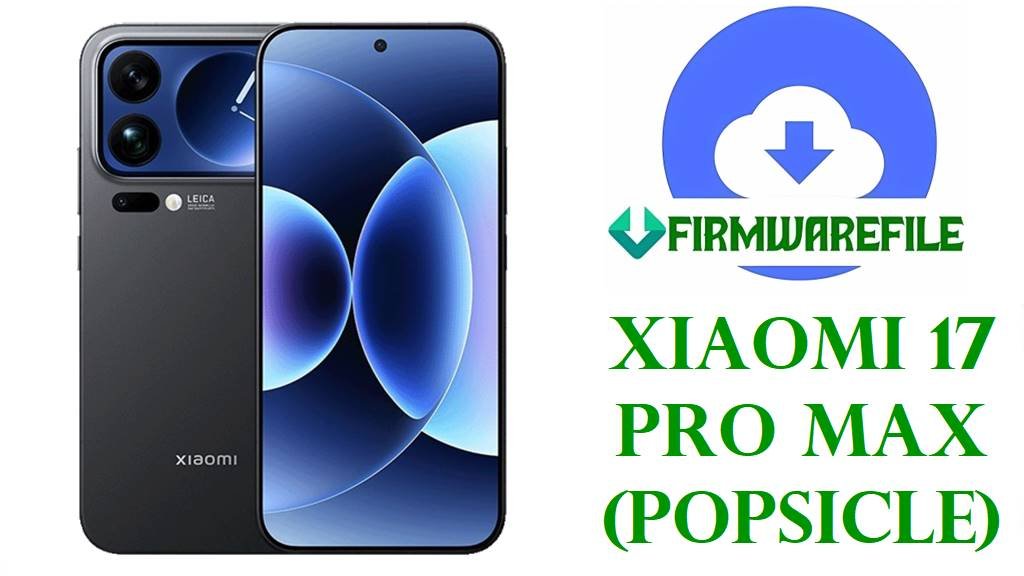
Xiaomi 17 Pro Max (Popsicle) Official Firmware Download & Safe Flash Guide (China, EU, OTA, Fastboot)
Is your Xiaomi 17 Pro Max (code name: popsicle, model: WPBCNXM) experiencing stubborn bootloops, crashing after updates, or stuck at the HyperOS boot screen? The latest OS3.0.30.0.WPBCNXM build can fix critical system errors, restore smooth performance, and bring back full factory function. This guide covers every safe firmware file for both Chinese and global (xiaomi.eu) users, with real repair strategies for common hardware and software issues.
About this device: The Xiaomi 17 Pro Max leads the 2025 flagship lineup with a Snapdragon 8 Elite Gen 5 (SM8850-AC) chipset, 16GB LPDDR5X RAM, 512GB storage, and a vivid 6.9-inch LTPO AMOLED 120Hz display. If your device is “hard bricked,” suffering update loops, thermal throttling, or losing fingerprint/facial unlock (a known 2025 Snapdragon bug), proper firmware flash is your best solution.
This is a Snapdragon-based flagship for China (WPBCNXM) and the firmware is NOT cross-compatible with other Xiaomi Pro/Max models. This device aggressively enforces version/region security (“Anti-rollback”), so downgrading or cross-flashing can permanently brick your device or disable 5G bands. Always match on-device code name (“popsicle”) and build number to these files before flashing.
Xiaomi 17 Pro Max (“Popsicle”) Firmware & Device Details
| Detail | Information |
|---|---|
| Device Name | Xiaomi 17 Pro Max |
| Codename | popsicle |
| Firmware Code | WPBCNXM (China, Stable) |
| Chipset | Qualcomm Snapdragon 8 Elite Gen 5 (SM8850-AC) |
| CPU/GPU | 8-core Oryon, Adreno 840 |
| Android Version | Android 16, HyperOS 3.0 |
| Display | 6.9” LTPO AMOLED, 120Hz, 1200 x 2608px |
| RAM/Storage | 16GB/512GB LPDDR5X/UFS 4.1 |
| Battery | 6300mAh (Li-Poly), 100W wired, 50W wireless charging |
| Flashing Tool | Xiaomi Flash Tool (Fastboot) / Sideload (OTA) |
| Region/Variant | China (WPBCNXM) – NOT EU/Global |
| Special Features | Leica quad camera, Dolby Atmos, in-display ultrasonic fingerprint sensor, Wi-Fi 7, 5G SA/NSA |
Firmware Download (Official, EU, OTA)
| Filename | Type | Android/OS | Build/Date | Size | Download | Notes |
|---|---|---|---|---|---|---|
| popsicle_images_OS3.0.30.0.WPBCNXM_20251031.0000.00_16.0_cn_d22a0fa970.tgz | Fastboot (Official China) | 16.0 / HyperOS 3.0 | OS3.0.30.0 (2025-10-31) | 10.82GB | MIUI China Server | Recommended for full restore, fixes system corruption. |
| xiaomi.eu_POPSICLE_OS3.0.30.0.WPBCNXM_16.zip | EU Custom ROM | 16.0 / HyperOS 3.0 | OS3.0.30.0 (2025-10-31) | 8.00GB | SourceForge Mirror | Community mod: Adds Google Play, multi-language; disables ads; no support from Xiaomi, no OTA. |
| popsicle-ota_full-OS3.0.30.0.WPBCNXM-user-16.0-5cc4eb5e91.zip | OTA/Recovery ZIP | 16.0 / HyperOS 3.0 | OS3.0.30.0 | 7.64GB | Official OTA | For in-system update or sideload from recovery; preserves user data if successful. |
Comparison:
- Fastboot ROM: Largest, safest for deep system repair/brick fix. Wipes all data.
- Xiaomi.eu: Community, safer for EU/Intl users. All data wiped; unofficial updates only.
- OTA: For system updates/partial repairs. Will abort if system corruption is severe or device is bricked.
Before You Begin ⚙️
- Back up all your data—Fastboot and EU/OTA methods can erase internal storage.
- Charge to at least 80% battery.
- Bootloader must be unlocked for Fastboot & EU ROM. Relocking after non-China ROM bricks device!
- Windows PC required for Xiaomi Flash Tool; Mac/Linux use advanced/adp flashing.
- Use only official cables and usb3.0/3.1 ports for flashing to avoid disconnection bricks.
📱 Quick Flashing Guide
Method 1: Fastboot Full Restore (.tgz)
- Extract
popsicle_images_OS3.0.30.0.WPBCNXM_20251031.0000.00_16.0_cn_d22a0fa970.tgzon your PC. - Enter Fastboot mode (Volume Down + Power from power off).
- Launch Xiaomi Flash Tool. Load extracted ROM folder. Confirm device detected.
- Click “clean all” and “flash”. Wait for green success checkmark.
- First boot takes 5-10 min. Set up device afresh.
See full flashing tutorial for detailed steps and troubleshooting:
How to Flash Xiaomi Firmware (Full Guide)
Method 2: OTA/Recovery Sideload
- Copy
popsicle-ota_full-OS3.0.30.0.WPBCNXM-user-16.0-5cc4eb5e91.zipto device. - Boot into recovery (Power + Volume Up).
- Select “Apply update from SD/USB” or “sideload”.
- Follow on-screen steps to install. Do not restart midway.
Full OTA sideload tutorial:
How to Sideload OTA Firmware (Guide)
Method 3: Xiaomi.eu ROM (Community Mod)
- Unlock bootloader. Extract
xiaomi.eu_POPSICLE_OS3.0.30.0.WPBCNXM_16.zipon PC. - Repeat Fastboot method above, using the xiaomi.eu folder.
- After first boot, sign in to Google for Play Store access.
Frequently Asked Questions (FAQs)
- Q1. Why does my device show “Critical error: Anti-rollback check failed”?
- You’re trying to downgrade or cross-flash. Only upgrade or match region/version exactly—anti-rollback bricks can only be fixed by authorized Xiaomi repair.
- Q2. Bootloop or device doesn’t power on after fastboot flash?
- Try again with the official China Fastboot .tgz and a different cable/USB port. If still stuck, you may have a hardware issue or deep EDL brick—service is required.
- Q3. Google apps missing after flashing China ROM?
- China ROMs lack Google Play. Use Xiaomi.eu ROM for Play Store out-of-box, or sideload Google Installer APK (advanced only).
- Q4. Can I use this firmware for international/Global/EU variants?
- No. WPBCNXM is China-only. Check your code name and build; cross-flashing will brick a non-China device.