Xiaomi 17 Pro (Pandora) HyperOS 3 Firmware Download & Safe Flash Guide (China/EU/OTA, Anti-Rollback Warning)
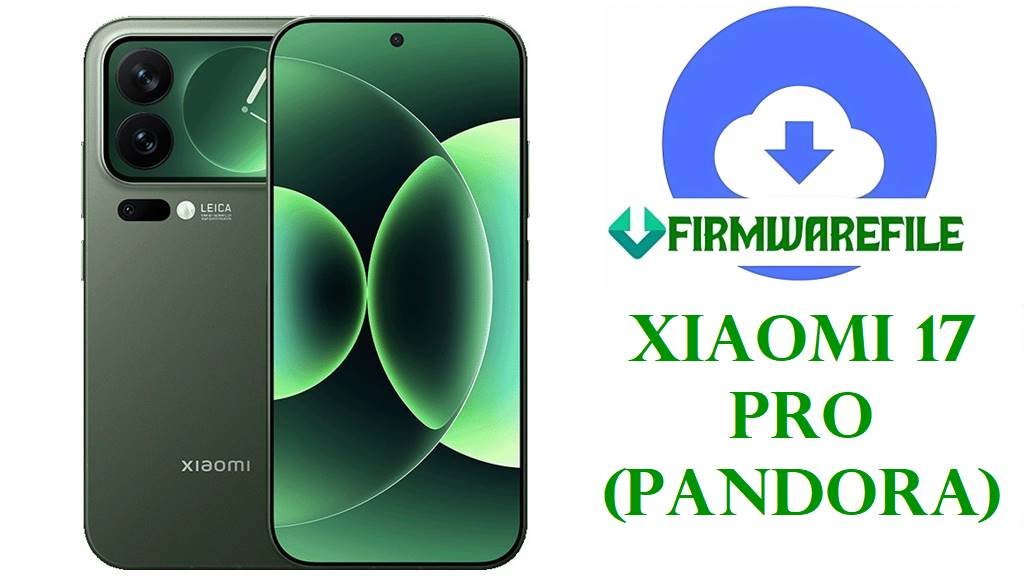
Xiaomi 17 Pro (code name: pandora, firmware: WBLCNXM) has just received the latest HyperOS 3.0 OS3.0.30.0 update. If you’re battling bootloops, update failures, or severe performance drops after a failed upgrade, flashing the official firmware below can bring your phone back to life! This guide covers the correct China, EU (xiaomi.eu), and OTA builds, with model-specific insights for common problems.
The Xiaomi 17 Pro (Pandora) is powered by a Snapdragon 8 Elite Gen 5 (SM8850-AC) chipset, LPDDR5X RAM (up to 16GB), and 512GB storage, equipped with a sharp 6.3-inch 120Hz AMOLED display and Leica-tuned cameras. Firmware errors can trigger fingerprint sensor failures, rear display bugs, or 5G signal loss—follow our updated guide to resolve and restore peak device health.
Do NOT downgrade HyperOS on 17 Pro—the device enforces “Anti-rollback” security that can permanently brick your phone if you flash an older or mismatched region build. Always match exact version and code (“pandora”, “WBLCNXM”) before flashing. Europe/global phones are NOT supported by China-only builds—cross-flashing disables 5G and rear display!
Xiaomi 17 Pro (“Pandora”) Device & Firmware Details
| Detail | Information |
|---|---|
| Device Name | Xiaomi 17 Pro |
| Codename | Firmware | pandora | WBLCNXM |
| Chipset | Qualcomm Snapdragon 8 Elite Gen 5 (SM8850-AC) |
| CPU/GPU | 8-core Oryon, Adreno 840 |
| Android/OS Version | Android 16, HyperOS 3.0 |
| Display | 6.3”, 1220 x 2656 px, LTPO AMOLED, 120Hz |
| RAM/Storage | 12GB/16GB LPDDR5X | 512GB UFS 4.1 |
| Battery | 6300mAh, 100W/50W wireless charging |
| Special Hardware | Triple Leica rear camera, mini rear screen, Wi-Fi 7, ultrasonic fingerprint |
| Region | China (WBLCNXM), not global/EU/ROW |
| Flashing Tool | Xiaomi Flash Tool (Fastboot), Recovery/OTA Sideload |
Firmware Downloads (Official, EU, OTA)
| Filename | Type | Android/OS | Build/Date | Size | Download | Remarks |
|---|---|---|---|---|---|---|
| pandora_images_OS3.0.30.0.WBLCNXM_20251031.0000.00_16.0_cn_10f2bcba9f.tgz | Fastboot (China Official) | 16 / HyperOS 3.0 | OS3.0.30.0 (2025-10-31) | 10.86GB | Official China Server | Recommended for full restores. Wipes all data. |
| xiaomi.eu_PANDORA_OS3.0.30.0.WBLCNXM_16.zip | EU Community ROM | 16 / HyperOS 3.0 | OS3.0.30.0 | 8.01GB | SourceForge Mirror | Debloated, with Google, multi-language; not officially supported by Xiaomi. |
| pandora-ota_full-OS3.0.30.0.WBLCNXM-user-16.0-85f4d1660a.zip | OTA/Recovery ROM | 16 / HyperOS 3.0 | OS3.0.30.0 | 7.61GB | OTA Mirror | For system update or sideload via recovery, preserves some data. |
Quick Advice:
- Fastboot ROM: Safest for bricked phones, full restore. Erases all user data.
- Xiaomi.eu ROM: Community mod with global features, wipes data, but won’t get official OTA updates after flashing.
- OTA: Use for partial in-place upgrades or local sideload; risky if device already stuck in bootloop.
Before You Begin ⚙️
- Always backup via Mi Cloud/Google before any flashing operation.
- Charge above 80% for safety.
- Fastboot flashing requires unlocked bootloader (can take 168 hours to unlock; Xiaomi account needed).
- Use Xiaomi Flash Tool on Windows for Fastboot; recovery flashing only for working recovery.
- Match firmware region/code before starting—cross-variant flashing bricks hardware!
📱 Quick Flashing Guide
Method 1: Fastboot (Official China Firmware)
- Extract
pandora_images_OS3.0.30.0.WBLCNXM_20251031.0000.00_16.0_cn_10f2bcba9f.tgzon your Windows PC. - Enter Fastboot (Volume Down + Power > fastboot logo).
- Open Xiaomi Flash Tool and select the extracted folder.
- Click “clean all” and flash. Wait for green checkmark.
- Device will reboot. Set up as new.
Follow the full pillar guide for details:
How to Flash Xiaomi SmartPhone (Full Tutorial)
Method 2: OTA/Recovery (For In-Place Upgrades)
- Copy
pandora-ota_full-OS3.0.30.0.WBLCNXM-user-16.0-85f4d1660a.zipto device storage/SD card. - Restart into recovery (Power + Volume Up).
- Select “Apply update from SD/USB” or “sideload.”
- Wait for install to finish. Never force restart.
See full OTA sideload guide:
How to Sideload OTA on Xiaomi (Guide)
Method 3: Xiaomi.eu Firmware
- Unlock bootloader, extract
xiaomi.eu_PANDORA_OS3.0.30.0.WBLCNXM_16.zipon your computer. - Flash using Fastboot method (see above).
- On first boot, Google apps available; no China restrictions.
Frequently Asked Questions (FAQs)
- Q1. Why am I seeing “Anti-rollback check failed” error?
- You’re trying to downgrade or mismatch build—only upgrade or match device code. Anti-rollback bricks need Xiaomi Service to fix.
- Q2. No Google Apps after China ROM flash?
- China ROM omits Google services. Use Xiaomi.eu ROM or sideload Google Installer APK if confident.
- Q3. Fingerprint/rear screen bug after update?
- Flash the newest build (OS3.0.30.0), then perform factory reset. Bug persists on old builds; test each sensor on setup. Hardware issue: contact Xiaomi.
- Q4. Can global/EU models use these China firmware files?
- No. WBLCNXM is China only. Global/EU flashing disables network bands and hardware features—even if it boots, many functions break.