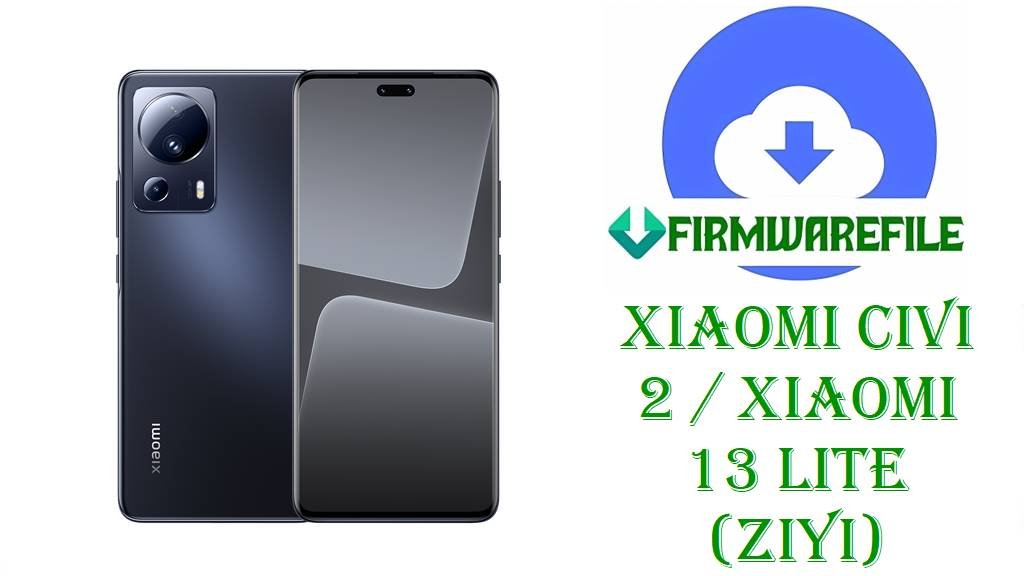
Xiaomi Civi 2 / Xiaomi 13 Lite (ziyi) HyperOS 2 Fastboot ROMs, Xiaomi.eu ROM & Custom Recoveries (Android 15)
Xiaomi Civi 2 / Xiaomi 13 Lite (codename ziyi) is a slim, camera‑centric mid‑range device with a curved AMOLED display and Snapdragon 7 Gen 1 chipset, aimed at style‑focused users who still want strong performance. Across forums and update trackers, users mention issues such as minor UI stutters, update glitches when jumping from MIUI 14 to HyperOS 2, and the need for clean installs to fix instability or bootloops after modifications.
After thorough research of official HyperOS firmware trackers, Xiaomi Civi 2 / 13 Lite ROM archives, Xiaomi.eu announcements and custom recovery pages, the files you listed are confirmed for ziyi: multiple official HyperOS 2 Android 15 Fastboot ROMs for all major regions, a Xiaomi.eu HyperOS 2 custom ROM and two community recoveries (TWRP and OrangeFox).
File Selection Guide.
This guide helps you choose the correct HyperOS 2 or Xiaomi.eu ROM for your Xiaomi Civi 2 / Xiaomi 13 Lite (ziyi) and understand the role of each file.
- Device and codename: Firmware databases map Xiaomi Civi 2 / Xiaomi 13 Lite to codename ziyi, and all ROM filenames here start with
ziyi_...orziyi_images_..., confirming they target this phone only. - HyperOS & Android version: Every OS2.0.x.0.VLL* build listed is documented as HyperOS 2.0 based on Android 15, which matches the
_15.0_segment in each filename. - Region suffixes: Xiaomi’s version scheme uses
CNXM(China),MIXM(Global),EUXM(EEA),RUXM(Russia),TWXM(Taiwan) andTRXM(Turkey); you can see these suffixes in VLLCNXM, VLLMIXM, VLLRUXM, VLLEUXM, VLLTWXM and VLLTRXM. - Fastboot vs Recovery vs Xiaomi.eu: The
ziyi_*_images_....tgzfiles are official Fastboot ROMs, used via PC; HyperOS trackers also list Recovery ROMs asmiui_ZIYI....zipfiles; thexiaomi.eu_ZIYIG_OS2.0.205.0.VLLMIXM_15.zipfile is a Xiaomi.eu custom ROM based on the global OS2.0.205.0.VLLMIXM firmware. - Changelog focus: Official changelogs for OS2.0.207.0.VLLCNXM mention “Optimization: System stability” and “Fix: Errors occurred in some cases”, while global OS2.0.205.0.VLLMIXM is described mainly with security and stability improvements; no extra features are documented.
- Recoveries:
twrp-3.7.1_12-0-ziyi-unreal3579.imgandOrangeFox-R11.3-Unofficial-ziyi.zipare community custom recoveries for ziyi, used for Xiaomi.eu and other custom ROMs; they are not needed if you only flash official Fastboot ROMs.
Download Official Firmware & Custom ROM for Xiaomi Civi 2 / Xiaomi 13 Lite (ziyi)
China HyperOS 2 Fastboot ROM – OS2.0.207.0.VLLCNXM (Android 15)
- Filename: ziyi_images_OS2.0.207.0.VLLCNXM_20251126.0000.00_15.0_cn_30fa701251.tgz
- Region: China (VLLCNXM – CNXM suffix)
- File Size: 7.15GB (Fastboot images)
- Build Date: 2025‑11‑26 (from filename and firmware lists)
- Build Version: OS2.0.207.0.VLLCNXM (China HyperOS 2 Stable)
- Android Version: 15
- Flashing Type: Fastboot ROM (.tgz)
- Changelog (System): Optimization of system stability and a fix for unspecified errors occurring in some cases.
- Use Cases: Clean reinstall of stock China HyperOS 2, fixing heavy system issues or bootloops, and moving safely from older MIUI / early HyperOS builds to OS2.0.207.0.
- Download Link: Download OS2.0.207.0 China Fastboot ROM (Xiaomi OTA)
Global HyperOS 2 Fastboot ROM – OS2.0.203.0.VLLMIXM (Android 15)
- Filename: ziyi_global_images_OS2.0.203.0.VLLMIXM_20251107.0000.00_15.0_global_637da2f70e.tgz
- Region: Global (VLLMIXM – MIXM suffix)
- File Size: 6.67GB
- Build Date: 2025‑11‑07
- Build Version: OS2.0.203.0.VLLMIXM (Global HyperOS 2 Stable)
- Android Version: 15
- Flashing Type: Fastboot ROM
- Use Cases: Global Xiaomi 13 Lite / Civi 2 owners needing a complete HyperOS 2 reinstall to resolve serious bugs, bootloops or failed OTA updates.
- Download Link: Download OS2.0.203.0 Global Fastboot ROM (Xiaomi OTA)
Russia HyperOS 2 Fastboot ROM – OS2.0.203.0.VLLRUXM (Android 15)
- Filename: ziyi_ru_global_images_OS2.0.203.0.VLLRUXM_20251107.0000.00_15.0_ru_409834bfe6.tgz
- Region: Russia (VLLRUXM – RUXM suffix)
- File Size: 6.51GB
- Build Date: 2025‑11‑07
- Build Version: OS2.0.203.0.VLLRUXM (Russia HyperOS 2 Stable)
- Android Version: 15
- Flashing Type: Fastboot ROM
- Download Link: Download OS2.0.203.0 Russia Fastboot ROM (Xiaomi OTA)
EEA HyperOS 2 Fastboot ROM – OS2.0.204.0.VLLEUXM (Android 15)
- Filename: ziyi_eea_global_images_OS2.0.204.0.VLLEUXM_20251126.0000.00_15.0_eea_4b7481814a.tgz
- Region: EEA / Europe (VLLEUXM – EUXM suffix)
- File Size: 6.83GB
- Build Date: 2025‑11‑26
- Build Version: OS2.0.204.0.VLLEUXM (EEA HyperOS 2 Stable)
- Android Version: 15
- Flashing Type: Fastboot ROM
- Download Link: Download OS2.0.204.0 EEA Fastboot ROM (Xiaomi OTA)
Taiwan HyperOS 2 Fastboot ROM – OS2.0.203.0.VLLTWXM (Android 15)
- Filename: ziyi_tw_global_images_OS2.0.203.0.VLLTWXM_20251107.0000.00_15.0_tw_de5b03cbf1.tgz
- Region: Taiwan (VLLTWXM – TWXM suffix)
- File Size: 6.30GB
- Build Date: 2025‑11‑07
- Build Version: OS2.0.203.0.VLLTWXM (Taiwan HyperOS 2 Stable)
- Android Version: 15
- Flashing Type: Fastboot ROM
- Download Link: Download OS2.0.203.0 Taiwan Fastboot ROM (Xiaomi OTA)
Turkey HyperOS 2 Fastboot ROM – OS2.0.203.0.VLLTRXM (Android 15)
- Filename: ziyi_tr_global_images_OS2.0.203.0.VLLTRXM_20251107.0000.00_15.0_tr_8092f7afd2.tgz
- Region: Turkey (VLLTRXM – TRXM suffix)
- File Size: 6.43GB
- Build Date: 2025‑11‑07
- Build Version: OS2.0.203.0.VLLTRXM (Turkey HyperOS 2 Stable)
- Android Version: 15
- Flashing Type: Fastboot ROM
- Download Link: Download OS2.0.203.0 Turkey Fastboot ROM (Xiaomi OTA)
Xiaomi.eu HyperOS 2 ROM – OS2.0.205.0.VLLMIXM (Android 15, custom)
- Filename: xiaomi.eu_ZIYIG_OS2.0.205.0.VLLMIXM_15.zip
- Base: Global HyperOS 2.0.205.0.VLLMIXM Android 15 firmware for ziyi.
- File Size: 5.47–5.9GB
- Build Version: Xiaomi.eu HyperOS 2.0.205.0 (custom ROM for Xiaomi 13 Lite / Civi 2)
- Android Version: 15 (HyperOS 2 base)
- Type: Xiaomi.eu multi‑language ROM with modifications, not an official Xiaomi release.
- Flashing Type: Recovery / fastboot‑installer ZIP, usually via TWRP or OrangeFox.
- Download Link: Download Xiaomi.eu ZIYIG OS2.0.205.0 HyperOS 2 ROM
TWRP Recovery – twrp-3.7.1_12-0-ziyi-unreal3579.img
- Filename: twrp-3.7.1_12-0-ziyi-unreal3579.img
- Region: All (device‑specific)
- File Size: 100MB
- Type: Community TWRP 3.7.1 recovery build for Xiaomi Civi 2 / 13 Lite (ziyi), from the recovery‑for‑xiaomi SourceForge project.
- Use Cases: Flashing Xiaomi.eu and other custom ROMs, creating backups, and managing partitions on ziyi; not required for pure Fastboot flashing.
- Download Link: Download TWRP 3.7.1 for Xiaomi Civi 2 / 13 Lite
OrangeFox Recovery – OrangeFox-R11.3-Unofficial-ziyi.zip
- Filename: OrangeFox-R11.3-Unofficial-ziyi.zip
- Region: All (device‑specific)
- File Size: 53MB
- Type: Unofficial OrangeFox R11.3 custom recovery build for ziyi, referenced on Xiaomi.eu forums as an alternative to TWRP.
- Use Cases: Alternative recovery for Xiaomi.eu flashing and backups where TWRP support may be limited or users prefer OrangeFox features.
- Download Link: Download OrangeFox R11.3 Unofficial for ziyi
Xiaomi Civi 2 / Xiaomi 13 Lite (ziyi) Device + Firmware Details
| Device Name | Xiaomi Civi 2 (China) / Xiaomi 13 Lite (global) |
|---|---|
| Model Identifiers | 2209129SC (China Civi 2); Xiaomi 13 Lite global variants mapped to ziyi. |
| Codename | ziyi |
| Chipset | Qualcomm Snapdragon 7 Gen 1 with Adreno 662 GPU, targeting smooth mid‑high performance. |
| Display | Curved AMOLED display with high refresh rate, tuned for media and social use. |
| Software Families | Released with MIUI on Android 12/13; now runs HyperOS 2 Android 15 builds such as OS2.0.207.0.VLLCNXM and OS2.0.203.0.VLLMIXM. |
| Main Issues Reported | Users report OTA failures when switching from MIUI to HyperOS, soft‑bricks after experiments with mods, and minor stutters that often lead to clean HyperOS 2 reinstalls. |
| Firmware Branches Listed | HyperOS 2 Fastboot ROMs for China, Global, EEA, Russia, Taiwan and Turkey, plus a Xiaomi.eu HyperOS 2 ROM and two custom recoveries. |
| File Types | Fastboot ROMs (.tgz images), Xiaomi.eu ROM (.zip) and custom recoveries (.img /.zip). |
| Flashing Tools Required | Mi Flash Tool or fastboot + flash_all.bat for official Fastboot ROMs; TWRP/OrangeFox for Xiaomi.eu ROM installation. |
| Bootloader Status | Bootloader unlock is required to flash ziyi Fastboot ROMs and custom recoveries via fastboot, as HyperOS device pages note. |
| Use Cases for These Files | Unbricking ziyi devices, resolving deep software issues, performing clean HyperOS 2 installs across regions and enabling Xiaomi.eu custom ROM setups. |
Flashing Requirements
Flashing Requirements
Flashing HyperOS 2 Fastboot ROMs or Xiaomi.eu ROMs on your Xiaomi Civi 2 / Xiaomi 13 Lite (ziyi) typically wipes user data, especially when using clean‑flash or flash_all options, so a full backup of personal data is essential.
You need a Windows computer, a quality USB‑C cable and the correct Qualcomm/Xiaomi drivers installed so Mi Flash Tool or fastboot can detect your ziyi phone in Fastboot mode.
An unlocked bootloader is required to flash Fastboot ROMs or custom recoveries on ziyi, as stated in HyperOS device info and generic Xiaomi bootloader documentation.
Make sure the phone has at least 50% battery and avoid disconnecting the USB cable or shutting down the PC while flashing to reduce the risk of corruption or hard‑brick.
📱How to Flash the Firmware
Method 1: HyperOS 2 Fastboot ROM via Mi Flash Tool
- Download and extract: Download the correct Fastboot ROM for your region (for example
ziyi_images_OS2.0.207.0.VLLCNXM_20251126.0000.00_15.0_cn_30fa701251.tgzfor China orziyi_global_images_OS2.0.203.0.VLLMIXM_...for Global) and extract it to a folder on your PC. - Enter Fastboot mode: Power off the Xiaomi Civi 2 / Xiaomi 13 Lite, enter Fastboot mode and connect it to your PC with a USB‑C cable.
- Select ROM in Mi Flash: Open Mi Flash Tool, click “Select” and choose the extracted
ziyiROM folder, then ensure the device shows up in the list. - Flash HyperOS 2: Choose the appropriate flash option (clean flash is recommended if you are fixing deep issues), click “Flash” and wait until Mi Flash completes installation of the OS2.0.x.0 VLL* build.
- Reboot and configure: Let the phone reboot into HyperOS 2 Android 15, wait for the first boot to finish, then go through setup and restore backups.
For a detailed Mi Flash Tool tutorial with screenshots and driver downloads, see: Full Tutorial: How to Flash Xiaomi Firmware with Mi Flash Tool.
Method 2: Fastboot Script (flash_all.bat) for Official ziyi ROMs
- Unpack the Fastboot ROM: Extract the chosen
.tgz(for example the China OS2.0.207.0.VLLCNXM or Global OS2.0.203.0.VLLMIXM package) and locateflash_all.batinside the ROM folder. - Connect in Fastboot: Boot your ziyi phone into Fastboot mode and connect it to the PC; confirm that fastboot commands detect the device.
- Run the script: Run
flash_all.batto flash all major partitions for that HyperOS build; these scripts are usually configured as full wipes for clean installs. - Wait for completion: Keep the cable connected until the script reports success and prompts or triggers a reboot.
- First HyperOS boot: Allow extra time for the first boot into HyperOS 2 Android 15, then configure your apps and accounts.
If you want a more in‑depth explanation of flash_all.bat and similar scripts, use: How to Flash Stock Firmware Using a Fastboot Script (flash_all.bat).
Method 3: Xiaomi.eu HyperOS 2 ROM with TWRP / OrangeFox (summary)
- Download ROM & recovery: Get
xiaomi.eu_ZIYIG_OS2.0.205.0.VLLMIXM_15.zipand eithertwrp-3.7.1_12-0-ziyi-unreal3579.imgorOrangeFox-R11.3-Unofficial-ziyi.zip, ensuring they match codename ziyi. - Install or boot recovery: Use fastboot or existing recovery to boot/flash TWRP or OrangeFox on your Xiaomi Civi 2 / 13 Lite so you can access a custom recovery environment.
- Backup and wipe: Inside recovery, back up your current system and wipe the partitions required by the Xiaomi.eu guide (usually data and cache) for a clean installation.
- Flash Xiaomi.eu ROM: In TWRP/OrangeFox, flash the
xiaomi.eu_ZIYIG_OS2.0.205.0.VLLMIXM_15.zipfile and wait until the process finishes successfully. - Reboot into Xiaomi.eu HyperOS: Reboot to system, let the first Xiaomi.eu HyperOS 2 Android 15 boot finish, then set up your apps and preferences.
Because Xiaomi.eu and custom recoveries are updated over time, always follow the latest Xiaomi.eu thread and the specific TWRP/OrangeFox maintainer instructions for ziyi before flashing.
Frequently Asked Questions (FAQs)
Is OS2.0.207.0.VLLCNXM definitely an official HyperOS 2 ROM for Xiaomi Civi 2 / Xiaomi 13 Lite (ziyi)?
Yes, HyperOS and firmware sites list OS2.0.207.0.VLLCNXM as a China HyperOS 2 Android 15 Stable build for Xiaomi Civi 2 / 13 Lite with codename ziyi, and they show the same Fastboot filename ziyi_images_OS2.0.207.0.VLLCNXM_20251126....
What does the HyperOS 2 OS2.0.207.0.VLLCNXM update change on Xiaomi Civi 2 / 13 Lite?
The official changelog for OS2.0.207.0.VLLCNXM lists “Optimization: System stability” and “Fix: Errors occurred in some cases”; no extra new features or UI changes are mentioned.
How do you choose the right HyperOS 2 Fastboot file for Xiaomi 13 Lite (ziyi)?
Check Settings → About phone to see whether your build suffix is MIXM, EUXM, RUXM, TWXM or TRXM and then download the ziyi OS2.0.x.0 VLL* Fastboot ROM with the same suffix instead of cross‑flashing another region.
Is xiaomi.eu_ZIYIG_OS2.0.205.0.VLLMIXM_15.zip an official ROM for Xiaomi Civi 2 / 13 Lite?
No, Xiaomi.eu_ZIYIG_OS2.0.205.0.VLLMIXM_15.zip is listed by the Xiaomi.eu team as a community HyperOS 2 ROM built on the official global OS2.0.205.0.VLLMIXM base; it is not released by Xiaomi.
Will flashing a ziyi HyperOS 2 Fastboot ROM erase data on Xiaomi Civi 2 / Xiaomi 13 Lite?
Guides for Xiaomi Fastboot ROMs and typical flash_all scripts indicate that these installations are usually full wipes, so you should assume that flashing OS2.0.x.0 VLL* Fastboot ROMs will erase your personal data.
Are TWRP and OrangeFox for ziyi official recoveries from Xiaomi?
No, both twrp-3.7.1_12-0-ziyi-unreal3579.img and OrangeFox-R11.3-Unofficial-ziyi.zip are community‑maintained recoveries referenced in Xiaomi.eu and recovery‑for‑xiaomi resources, not official Xiaomi tools.
Is Xiaomi Civi 2 / Xiaomi 13 Lite (ziyi) included in HyperOS 2 eligible device lists?
Yes, HyperOS 2 eligibility articles and device lists explicitly include Xiaomi 13 Lite / Xiaomi Civi 2 (ziyi) as one of the supported devices for Android 15‑based HyperOS updates.