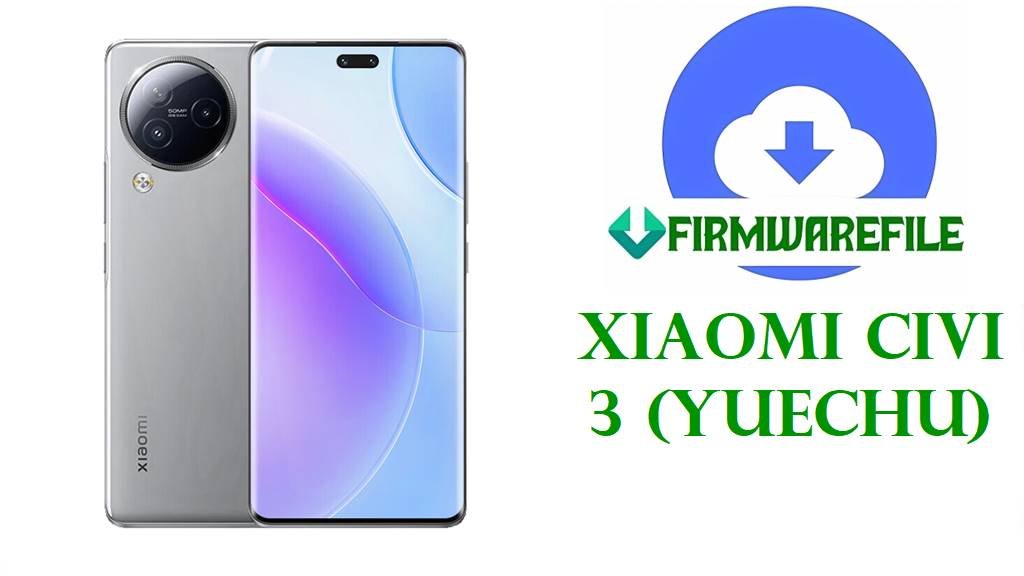
Xiaomi Civi 3 (yuechu) Fastboot ROM: OS2.0.213.0.VMICNXM (Android 15)
The Xiaomi Civi 3 is a slim, selfie-focused phone with a 6.55-inch 120Hz AMOLED display, Dimensity 8200 Ultra chipset, dual 32MP front cameras, and a 4500mAh battery with 67W charging.
If you’re using the Xiaomi Civi 3 (codename: yuechu), the firmware we shared is an official China Stable HyperOS fastboot ROM for Android 15 that can reinstall the full system from scratch when OTA updates aren’t enough.
Because this is a .tgz fastboot firmware package, it’s mainly intended for PC-based flashing and deep recovery scenarios (clean reinstall, fixing a bad update state, or returning to stock partitions).
File Selection Guide
- Confirm your device: This ROM is for Xiaomi Civi 3 with codename
yuechu. - Match the branch:
OS2.0.213.0.VMICNXMis the China stable branch (CNXM) and should only be used on the China variant. - Choose the right package type: Your file is a Fastboot ROM (
.tgz), not a “Recovery ROM” (.zip) for the Updater app.
Download Official Firmware for Xiaomi Civi 3
China HyperOS Fastboot ROM – OS2.0.213.0 (Android 15)
- Filename: yuechu_images_OS2.0.213.0.VMICNXM_20251202.0000.00_15.0_cn_641311f4d2.tgz
- Region: China (CNXM)
- File Size: 8.7 GB
- Build Date: 2025-12-02
- Build Version: OS2.0.213.0.VMICNXM
- Android Version: 15.0
- Flashing Type: Fastboot ROM (.tgz)
- MD5: 641311f4d2a2546dc78f1adce218f2b8
- Download Link: Download OS2.0.213.0.VMICNXM China Fastboot ROM (Xiaomi OTA)
Xiaomi Civi 3 + Firmware Details
| Device Name | Xiaomi Civi 3 |
|---|---|
| Codename | yuechu |
| Chipset | MediaTek Dimensity 8200 Ultra (4 nm) |
| Display | 6.55-inch AMOLED, 120Hz |
| Front Cameras | Dual 32MP selfie cameras |
| Battery / Charging | 4500 mAh, 67W wired |
| Firmware Version | OS2.0.213.0.VMICNXM (China Stable) |
| Android Version | 15.0 |
| Firmware File Type | Fastboot ROM (.tgz) |
| Build Date | 2025-12-02 |
| Integrity Check (MD5) | 641311f4d2a2546dc78f1adce218f2b8 |
| Official changelog source | The ROM listing links to Xiaomi’s official update info page for changelog details. |
Flashing Requirements
Flashing firmware may wipe your phone, so back up important data first and ensure adequate battery charge to reduce interruption risk.
- A Windows computer and a stable USB cable (typical for Xiaomi fastboot flashing workflows).
- Ability to fully extract the
.tgzarchive before flashing. - After extraction, some Xiaomi fastboot ROMs include batch scripts (often named
flash_all.bat) used for fastboot flashing.
📱How to Flash the Firmware
Method 1: Xiaomi Mi Flash Tool (Fastboot ROM)
- Download: Get
yuechu_images_OS2.0.213.0.VMICNXM_20251202.0000.00_15.0_cn_641311f4d2.tgzfrom the official Xiaomi OTA link above. - Extract: Fully extract the
.tgzuntil you see the ROM folder structure (images/scripts). - Fastboot mode: Power off the phone and boot into Fastboot mode, then connect it to the PC.
- Flash: Open Mi Flash Tool, load the extracted ROM folder, and flash using the option that matches your intended outcome.
- First boot: Reboot and wait; first boot after a full reinstall can take longer than normal.
For a full step-by-step guide with pictures and videos, use: Xiaomi MI Flash Tool Tutorial
Method 2: Fastboot Script (flash_all.bat)
- Extract the ROM: Unpack the
.tgzto a folder on your PC. - Connect in Fastboot: Boot the phone into Fastboot mode and connect via USB.
- Run the included script: If the ROM folder contains
flash_all.bat, use it for the automated flash routine. - Do not interrupt: Wait until the script completes and the phone reboots.
- Setup: Complete first-time setup after flashing.
Full guide: flash_all.bat Step-by-Step Guide
Real issues vs confirmed fixes
Across Xiaomi MIUI/HyperOS devices, users frequently discuss issues like delayed notifications (WhatsApp/Gmail, etc.), and there are long-running community guides attempting to mitigate it through power/background settings.
What is verifiable here is that flashing the official fastboot ROM restores the Civi 3 (yuechu) to the exact stock China Stable build OS2.0.213.0.VMICNXM, which can resolve problems caused by a corrupted system state or a failed/partial update.
Frequently Asked Questions (FAQs)
Is OS2.0.213.0.VMICNXM the correct firmware for Xiaomi Civi 3 (yuechu)?
Yes, ROM trackers list OS2.0.213.0.VMICNXM as Xiaomi Civi 3 China Stable for codename yuechu.
What does CNXM mean in yuechu OS2.0.213.0.VMICNXM?
CNXM indicates the China branch, and the filename also includes 15.0_cn, matching the China build.
Is yuechu_images_OS2.0.213.0.VMICNXM a recovery ROM?
No, it is a Fastboot ROM because it’s an images .tgz package.
What Android version is included in OS2.0.213.0.VMICNXM for Xiaomi Civi 3?
The listing specifies Android 15.0 for this build.
Does OS2.0.213.0.VMICNXM fix Xiaomi notification delay issues?
Notification delay is widely discussed for Xiaomi MIUI/HyperOS in general, but unless Xiaomi’s official changelog for this build explicitly states a fix, it cannot be claimed as confirmed for this ROM.
What should I do before flashing Xiaomi Civi 3 fastboot ROM?
Back up your data and verify the MD5 (641311f4d2a2546dc78f1adce218f2b8) to reduce the chance of flashing a corrupted file.