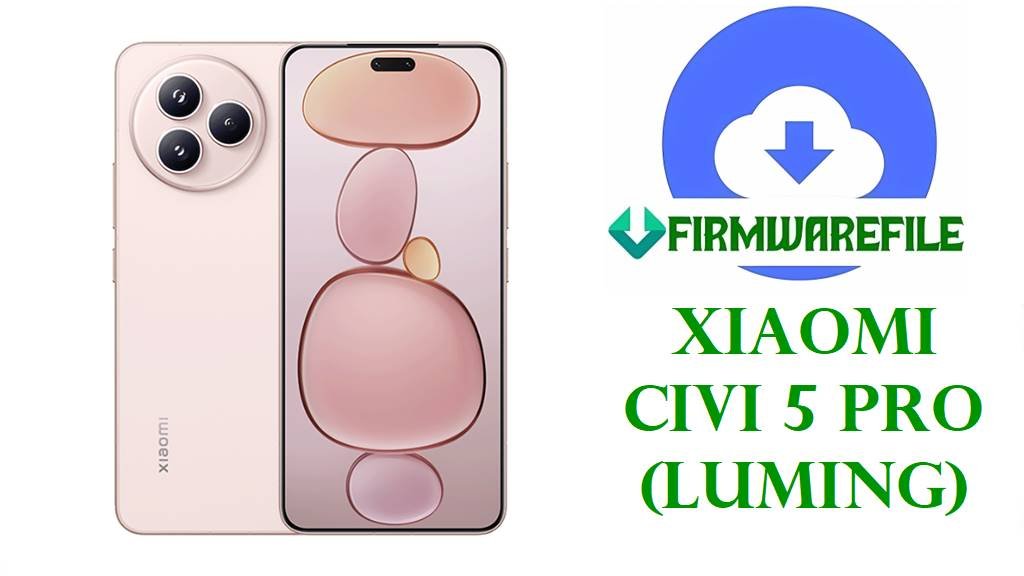
Xiaomi Civi 5 Pro (luming) HyperOS 3.0.3.0 China Fastboot ROM
The Xiaomi Civi 5 Pro is an ultra‑slim, style‑focused flagship with a 6.55‑inch 1.5K 120 Hz OLED display, Snapdragon 8s Gen 4 chipset, up to 16 GB LPDDR5X RAM, and fast UFS 4.0 storage, delivering high‑end performance in a very light body. It packs a large 6,000 mAh battery with 67 W fast charging, plus Leica‑tuned triple rear cameras and a 50 MP selfie camera aimed at creators and selfie lovers. Real‑world feedback highlights excellent screen and camera quality but also mentions heat buildup under load, noticeable EIS jitter in video, and battery drain or stability quirks on early firmware.
The official HyperOS 3.0.3.0.WOICNXM Android 16 fastboot ROM for codename luming brings the Civi 5 Pro onto HyperOS 3 with a smoother basic experience, improved stability, and updated security patches, making it ideal for fixing deep software issues or performing a clean upgrade.
Xiaomi Civi 5 Pro Firmware Details
| Device Name | Xiaomi Civi 5 Pro (China) |
|---|---|
| Codename | luming – internal codename for Civi 5 Pro. |
| Model Identifier | Models such as 25067PYE3C for standard and premium Civi 5 Pro China editions; confirm on box, back cover and in Settings → About phone. |
| Region / Branch | China region only, HyperOS China stable branch with suffix WOICNXM. |
| Chipset | Qualcomm Snapdragon 8s Gen 4 (SM8735) with XRing‑class cooling, paired with up to 16 GB LPDDR5X RAM and UFS 4.0 storage. |
| Display | 6.55‑inch 1.5K C8 12‑bit OLED (2750 × 1236) at 120 Hz, up to about 3,200 nits peak brightness, HDR10+ and 2160 Hz high‑frequency PWM dimming. |
| Battery & Charging | ~6,000 mAh silicon‑carbon battery with 67 W wired fast charging, optimized for long endurance in a thin chassis. |
| Cameras | Leica triple rear cameras plus 50 MP front camera, with features like Leica color modes, portrait styles and strong selfie performance. |
| Main Issues Reported | Reviews and user reports mention the Snapdragon 8s Gen 4 running warm in Xiaomi phones, EIS jitter in video, and occasional heat/battery complaints despite the large battery and cooling design. |
| Software Families | Ships with HyperOS 2.x on Android 15; OS3.0.3.0.WOICNXM is an early HyperOS 3 Android 16 stable build for the China variant. |
| Firmware Version in This File | HyperOS 3.0.3.0.WOICNXM, Android 16.0, China stable fastboot ROM. |
| Build / Package Name | luming_images_OS3.0.3.0.WOICNXM_20251024.0000.00_16.0_cn_41208b7cb0.tgz fastboot image package. |
| Release / Build Date | Internal build date 2025‑10‑24, with stable release and mirrors appearing in early November 2025. |
| File Size | ≈9.7–9.8 GB compressed fastboot package (listed around 9.78–9.79 GB on trackers and mirrors). |
| Changelog Highlights | Community screenshots and trackers note that HyperOS 3.0.3.0 focuses on making the basic experience smoother and more stable, with bug fixes and security updates for the Civi 5 Pro. |
| Flash Method | Fastboot images for Xiaomi Mi Flash Tool on Windows or for fastboot‑script flashing (flash_all.bat style) with an unlocked bootloader. |
| Best Use Cases | Clean upgrade from HyperOS 2 to HyperOS 3 Android 16, fixing bootloops after failed OTAs, resolving deep system lag or app crashes, and restoring rooted or modified Civi 5 Pro units back to stock. |
Download Official Firmware for Xiaomi Civi 5 Pro (luming)
Use the table below to confirm the exact HyperOS 3 fastboot ROM for Xiaomi Civi 5 Pro China (luming) before flashing, checking region, version, size, and build date carefully.
| Filename | Region / Device | Android / HyperOS | Build Version | Type | Size | Build Date | Recommended Use | Download |
|---|---|---|---|---|---|---|---|---|
| luming_images_OS3.0.3.0.WOICNXM_20251024.0000.00_16.0_cn_41208b7cb0.tgz | Xiaomi Civi 5 Pro China only (codename luming, WOICNXM branch). | Android 16.0 / HyperOS 3.0.3.0. | OS3.0.3.0.WOICNXM (China Stable Fastboot). | Official fastboot ROM (.tgz) for Mi Flash / fastboot scripts. | ≈9.78–9.79 GB (compressed). | 2025‑10‑24 internal build; public release early November 2025. | Recommended for Civi 5 Pro China users who want a clean HyperOS 3 Android 16 system to fix lag, app glitches, bootloops or leftover issues after mods. | Download OS3.0.3.0.WOICNXM (Xiaomi OTA server) |
Flashing Requirements
- Backup data first: Fastboot flashing usually wipes apps, accounts, and internal storage, so back up photos, chats, and documents to a PC or cloud before you begin.
- Charge your Civi 5 Pro: Keep the battery at at least 50–60 % to avoid shutdown during flashing.
- Windows PC & drivers: Use a stable Windows computer, install Xiaomi/Qualcomm USB drivers, and connect with a reliable USB‑C cable for consistent data transfer.
- Confirm codename & region: In Settings → About phone or via fastboot getvar product, verify the device is Xiaomi Civi 5 Pro with codename luming on the China WOICNXM branch before flashing.
- Unlocked bootloader: Manual fastboot or Mi Flash installations typically require an officially unlocked bootloader; if locked, use official OTA/Recovery updates instead.
How to Flash the Firmware
Method 1: Xiaomi Mi Flash Tool (Fastboot ROM)
- Prepare tools & ROM: On your Windows PC, install Xiaomi USB drivers and the Xiaomi Mi Flash Tool, then download and extract luming_images_OS3.0.3.0.WOICNXM… into a folder with all fastboot images.
- Load firmware in Mi Flash: Open Mi Flash, click to choose firmware, and select the extracted luming_images_OS3.0.3.0.WOICNXM directory so the tool loads all partitions.
- Enter fastboot mode: Power off the Civi 5 Pro, then hold Volume‑Down + Power to enter fastboot mode and connect the phone to your PC via USB‑C.
- Start flashing: Ensure Mi Flash detects the device, select a safe option such as “clean all”, and start the flash, waiting until a success message appears without unplugging the phone.
- First boot: Reboot the device; first startup on HyperOS 3.0.3.0 Android 16 can take several minutes while the system optimizes apps and services.
For an illustrated Mi Flash tutorial with driver links and troubleshooting tips, use this full guide: Full Guide: Flash Xiaomi Smartphone Firmware with Mi Flash Tool.
Method 2: Fastboot Script (flash_all.bat)
- Install platform tools: Set up Android platform‑tools on your PC, then extract the fastboot ROM so the .bat scripts and image files are in the same directory.
- Connect in fastboot: Boot the phone into fastboot mode, connect via USB, and confirm detection with fastboot devices from your PC.
- Run the script: Execute flash_all.bat (or the appropriate script) to automatically flash system, boot and other partitions; do not disconnect or close the window until it finishes.
- Allow reboot: After flashing, the device should reboot into HyperOS 3; if it does not, long‑press Power to restart once and wait for it to boot fully.
- Restore & test: Complete setup, restore backups, then test heat, battery life, camera, and gaming behavior over a few days to confirm earlier issues are improved.
For more detail on script‑based fastboot flashing and safe practices, see: How to Flash Stock Firmware Using a Fastboot Script (flash_all.bat).
Frequently Asked Questions (FAQs)
What Civi 5 Pro problems can HyperOS 3.0.3.0.WOICNXM help fix?
A clean flash of this ROM can fix many software‑side issues such as bootloops after failed OTAs, random app crashes, and UI stutters caused by corrupted or heavily modified system files. It also delivers an updated HyperOS 3 Android 16 base with improved stability for daily use, gaming, and camera apps.
Does this firmware reduce heating and battery drain?
The Snapdragon 8s Gen 4 in Xiaomi phones is known to run warm, and users report heat and higher drain when gaming or recording video on the Civi 5 Pro. HyperOS 3 focuses on a smoother and more stable basic experience, which can lessen unnecessary background load and help thermals and battery life, though proper settings and realistic expectations are still important.
Will flashing this fastboot ROM erase my data?
Yes, using Mi Flash with “clean all” or standard flash_all.bat scripts typically performs a full wipe of user apps, accounts, and internal storage. Always back up important content before flashing and treat any fastboot installation as potentially destructive.
How can I confirm this ROM is compatible with my device?
Make sure your phone is a China‑region Xiaomi Civi 5 Pro, check the codename is luming, and verify that the current firmware branch uses the WOICNXM suffix in its version string. Global or other regional Xiaomi 15‑series or Civi devices must use their own dedicated ROMs, not this China‑only HyperOS build.
Can this ROM unbrick my Civi 5 Pro if it is stuck on the HyperOS logo?
If the device still enters fastboot mode and the bootloader is unlocked, flashing the correct luming fastboot ROM often recovers soft‑bricked phones stuck on the boot logo or HyperOS animation. Devices that cannot power on or access fastboot usually require professional repair through service tools or EDL, not just user‑level flashing.