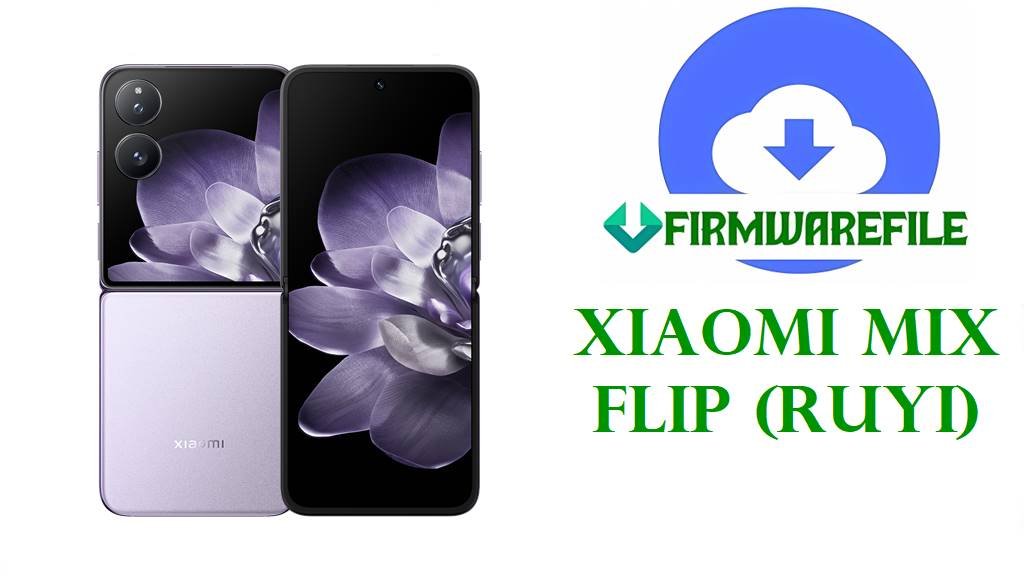
Xiaomi MIX Flip (ruyi) HyperOS 3 / HyperOS 2 Fastboot ROM Download Flash File
Xiaomi MIX Flip, codename ruyi, is a premium flip‑style foldable that combines a 6.86‑inch LTPO 120 Hz inner AMOLED, Snapdragon 8 Gen 3, up to 16 GB RAM, 1 TB storage and a 50 MP dual‑camera setup in a slim, pocket‑friendly design. Official model and firmware databases confirm that all HyperOS builds tagged with ruyi and codes like WNICNXM, VNIMIXM, VNIEUXM, VNITWXM and VNIRUXM are compiled specifically for the MIX Flip 5G (for example model 2405CPX3DG globally).
The files below include the latest China‑only HyperOS 3 OS3.0.3.0.WNICNXM based on Android 16 and multiple HyperOS 2.0.20x/2.0.21x Android 15 Fastboot ROMs for Global, EEA, Taiwan and Russia, all hosted on Xiaomi’s bigota/hugeota servers. These full images can unbrick MIX Flip units stuck in bootloops, fix failed OTAs or modding attempts, and move your phone onto stable firmware with up‑to‑date security patches like those listed for OS2.0.209.0.VNIMIXM and OS2.0.213.0.VNIEUXM (November 2025 security, increased system security).
Download Official Firmware for Xiaomi MIX Flip (ruyi)
These are official HyperOS Fastboot ROMs for Xiaomi MIX Flip (ruyi) taken from Xiaomi’s own update CDN, designed for use with Mi Flash Tool or fastboot scripts on an unlocked bootloader. OS3.0.3.0.WNICNXM is a China‑only Android 16 HyperOS 3 release, while the VN* builds are Android 15 HyperOS 2.0.x for Global and regional markets.
| Filename | Region / Target Variant | Android / HyperOS | Build Date | File Size | Flashing Type | Notes | Download Link |
|---|---|---|---|---|---|---|---|
| ruyi_images_OS3.0.3.0.WNICNXM_20251107.0000.00_16.0_cn_7979107b51.tgz | China – MIX Flip China (WNICNXM) | Android 16, HyperOS 3.0.3.0.WNICNXM | 2025‑11‑07 | 8.98 GB | Official Fastboot ROM | Full Android 16 HyperOS 3 China image for ruyi; ideal for clean‑flashing Chinese units to the latest major generation before regional OTAs. | Download OS3.0.3.0.WNICNXM (Xiaomi server) |
| ruyi_global_images_OS2.0.209.0.VNIMIXM_20251104.0000.00_15.0_global_7ab265563f.tgz | Global – MIX Flip Global (VNIMIXM) | Android 15, HyperOS 2.0.209.0.VNIMIXM | 2025‑11‑04 | 7.64 GB | Official Fastboot ROM | Matches the latest global OTA OS2.0.209.0.VNIMIXM whose changelog notes a November 2025 security patch and improved system security. | Download OS2.0.209.0.VNIMIXM (Xiaomi server) |
| ruyi_tw_global_images_OS2.0.208.0.VNITWXM_20251104.0000.00_15.0_tw_6c43af73b9.tgz | Taiwan – MIX Flip TW (VNITWXM) | Android 15, HyperOS 2.0.208.0.VNITWXM | 2025‑11‑04 | 7.21 GB | Official Fastboot ROM | Taiwan stable build; recovery notes for OS2.0.208.0.VNITWXM mention updated security patch (November 2025) and increased system security. | Download OS2.0.208.0.VNITWXM (Xiaomi server) |
| ruyi_eea_global_images_OS2.0.213.0.VNIEUXM_20251028.0000.00_15.0_eea_0c8e0ab567.tgz | EEA – MIX Flip Europe (VNIEUXM) | Android 15, HyperOS 2.0.213.0.VNIEUXM | 2025‑10‑28 | 7.65 GB | Official Fastboot ROM | European EEA Fastboot image; EEA OTAs for OS2.0.213.0.VNIEUXM also state a November 2025 security patch and higher system security. | Download OS2.0.213.0.VNIEUXM (Xiaomi server) |
| ruyi_ru_global_images_OS2.0.208.0.VNIRUXM_20251104.0000.00_15.0_ru_3e4c14125a.tgz | Russia – MIX Flip RU (VNIRUXM) | Android 15, HyperOS 2.0.208.0.VNIRUXM | 2025‑11‑04 | 8.48 GB | Official Fastboot ROM | Russian HyperOS 2 stable branch; paired recovery builds list Android 15 with November 2025 security and standard stability fixes. | Download OS2.0.208.0.VNIRUXM (Xiaomi server) |
Xiaomi MIX Flip (ruyi) Firmware Details
| Device Name | Xiaomi MIX Flip 5G |
|---|---|
| Codename | ruyi – used by all listed ROMs and Xiaomi’s model database for MIX Flip. |
| Model Identifiers | 2405CPX3DG (Global) and related Chinese/other market SKUs recorded in certification trackers. |
| Chipset | Qualcomm Snapdragon 8 Gen 3 (4 nm), octa‑core CPU with Adreno 750 GPU for flagship‑grade performance. |
| Displays | Inner: 6.86‑inch LTPO AMOLED, 2912 × 1224, 1–120 Hz, up to 3000 nits; outer cover display for quick interactions. |
| Battery & Charging | About 4780 mAh battery with 67 W wired fast charging, designed for all‑day heavy use. |
| Cameras | Dual rear camera system with 50 MP wide and 50 MP telephoto modules, plus a high‑resolution selfie camera. |
| Software Families | HyperOS 1 on Android 14 at launch, upgraded to HyperOS 2 on Android 15 (VNIMIXM/VNIEUXM/VNITWXM/VNIRUXM) and HyperOS 3 on Android 16 in China (WNICNXM). |
| Main Issues Reported | Across HyperOS 2 devices, users report severe battery drain, overheating above 40 °C and shorter SOT after certain updates until they factory‑reset or clean‑flash. |
| What These ROMs Provide | Full Fastboot images for clean installs, soft‑brick recovery and updating to builds with November 2025 security patches and stability tweaks. |
| File Type | Official Xiaomi Fastboot ROMs (.tgz) containing complete partition images and flashing scripts. |
| Flashing Tool | Xiaomi Mi Flash Tool on Windows or fastboot scripts such as flash_all.bat from the ROM package. |
| Bootloader Status | Bootloader unlock is required for all Fastboot flashes; OTA recovery updates normally require a locked, unmodified system. |
| Typical Use Cases | Unbrick bootloops, undo failed custom ROM/root experiments, fix HyperOS 2 bugs and move to Android 16 HyperOS 3 (China) or latest Android 15 builds (global/EEA/TW/RU). |
Flashing Requirements
- 💾 Backup data: Fastboot flashing almost always wipes apps and internal storage, so copy photos and important files first.
- 🔋 Battery above 50 %: Avoid flashing on low battery to prevent shutdown and potential hard brick.
- 💻 Windows PC & drivers: You need a Windows PC, Xiaomi USB/ADB drivers and a reliable USB‑C cable for Mi Flash or fastboot.
- 🔓 Unlocked bootloader: Use Xiaomi’s official unlock process on MIX Flip (ruyi) before flashing any ruyi_*_images_*.tgz ROM.
How to Flash the Firmware File
Method 1: Xiaomi Mi Flash Tool (Fastboot ROM)
- Install tools & extract ROM: Install Xiaomi USB drivers and Mi Flash Tool on your PC, then extract the selected Fastboot ROM (for example, ruyi_global_images_OS2.0.209.0.VNIMIXM_…) into a simple folder.
- Enter fastboot mode: With the bootloader unlocked, power off MIX Flip, hold Volume Down + Power to enter fastboot, and connect it via USB‑C.
- Load firmware in Mi Flash: Open Mi Flash Tool, click Select and point it at the extracted ruyi ROM folder containing images and scripts.
- Choose “clean all” and flash: In Mi Flash options, choose “clean all” (avoid relock), click Flash and wait while all partitions are written.
- Reboot and wait: After Mi Flash reports success, let the phone reboot; the first HyperOS 2 or 3 boot can take several minutes while apps are optimized.
For a full Mi Flash walkthrough with screenshots and troubleshooting tips, refer to: Full Tutorial: Flash Xiaomi Firmware with Mi Flash Tool.
Method 2: Fastboot Script (flash_all.bat)
- Set up platform‑tools: Download Google’s Android platform‑tools and confirm the fastboot command works on your PC.
- Unpack the ROM fully: Extract the .tgz until you see image files and scripts such as flash_all.bat inside the ROM folder.
- Connect MIX Flip in fastboot: Boot into fastboot, connect via USB‑C, and verify detection with fastboot devices.
- Run the script: Run the “flash all” script that does not relock the bootloader, then wait as it flashes every required partition automatically.
- Finish setup & test: After reboot, complete setup and monitor battery life and temperatures for a few days as HyperOS finishes background optimization.
For more detail on flash_all.bat‑style scripts and safety considerations, see: How to Flash Stock Firmware Using a Fastboot Script (flash_all.bat).
Frequently Asked Questions (FAQs)
What MIX Flip issues can these ruyi ROMs fix?
Flashing the correct regional Fastboot ROM can fix bootloops, severe lag, missing system apps, failed OTAs and many HyperOS 2 issues like abnormal battery drain or overheating after updates.
How do I confirm my MIX Flip uses the ruyi firmware?
Check Settings → About phone → Version and confirm that firmware trackers list your exact model (for example 2405CPX3DG) and region under the ruyi codename before flashing.
Which file should I pick for my region?
China units use WNICNXM, Global VNIMIXM, EEA VNIEUXM, Taiwan VNITWXM and Russia VNIRUXM; mixing regions can break OTAs, carrier features and safety checks.
Does updating to OS2.0.209.0 or OS2.0.213.0 fix HyperOS 2 battery drain?
These builds raise the security patch to November 2025 and improve system security, and many users see more stable behaviour after a clean flash, but final battery life still depends on apps and usage.
Is it safe to flash China WNICNXM or EEA VNIEUXM on a Global VNIMIXM phone?
Cross‑flashing is technically possible on an unlocked bootloader but can cause network or OTA problems and may brick the phone if you relock, so sticking to your native region is strongly recommended.
Why does my MIX Flip still run warm after updating?
HyperOS 2 and 3 run heavy background tasks after major updates, and Xiaomi notes that high CPU load and multiple apps contribute to heat; give it a few charge cycles and optimize background usage before suspecting hardware.