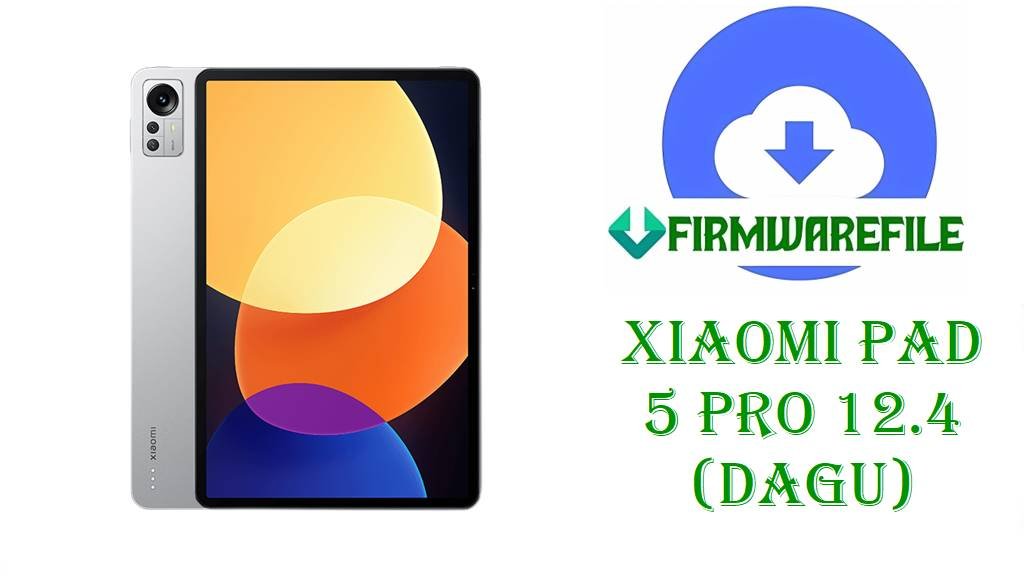
Xiaomi Pad 5 Pro 12.4 (dagu) HyperOS 2 China Fastboot ROM OS2.0.10.0 (Android 14)
Xiaomi Pad 5 Pro 12.4 (codename dagu) is a large‑screen Android tablet with a 12.4‑inch high‑resolution display, Snapdragon‑class performance and a big battery, aimed at multitasking, note‑taking and media consumption. From user discussions and support threads, many owners report issues like intermittent lag after long use, minor app crashes, failed OTA updates and occasional system instability when moving between MIUI and early HyperOS 1 builds on this tablet.
After thorough research of official firmware trackers and ROM databases, the file dagu_images_OS2.0.10.0.ULZCNXM_20250701.0000.00_14.0_cn_8b79098f43.tgz is confirmed as the China HyperOS 2.0.10.0 Stable Fastboot ROM for Xiaomi Pad 5 Pro 12.4 (dagu), giving you a clean Android 14 HyperOS base to fix software‑side problems and restore reliable performance.
File Selection Guide.
This guide helps you verify that OS2.0.10.0.ULZCNXM is the right HyperOS ROM for your Xiaomi Pad 5 Pro 12.4 before you flash it.
- Device and codename: Firmware pages list Xiaomi Pad 5 Pro 12.4 China under codename dagu, and both the tracker and your file name show
dagu_images_..., so this ROM targets only the 12.4‑inch Pad 5 Pro model with code 22081281AC. - Region and branch: The version string
OS2.0.10.0.ULZCNXMends inCNXM, which Xiaomi uses for China ROMs, and trackers clearly label it as “Xiaomi Pad 5 Pro 12.4 China – HyperOS Stable”. - HyperOS and Android version: HyperOS update pages state that OS2.0.10.0.ULZCNXM is a HyperOS 2 Stable build on Android 14, and the filename confirms this with the
_14.0_cn_segment. - Fastboot vs Recovery: The tracker lists two packages for OS2.0.10.0.ULZCNXM: a Recovery ROM (
dagu-ota_full-OS2.0.10.0.ULZCNXM-....zip) and a Fastboot ROM (dagu_images_OS2.0.10.0.ULZCNXM_20250701.0000.00_14.0_cn_8b79098f43.tgz); your file is the Fastboot type, meant for PC‑based flashing. - Security patch and stability: The official changelog for OS2.0.10.0.ULZCNXM shows that this build updates the Android security patch level to June 2025 and “increases system security”, which you get whether you use the Fastboot or Recovery version.
- When to use this Fastboot ROM: The Fastboot build is especially useful if your Xiaomi Pad 5 Pro 12.4 no longer boots properly, OTA updates have failed, partitions are damaged, or you want a completely clean HyperOS 2 install rather than an in‑place OTA.
Download Official Firmware for Xiaomi Pad 5 Pro 12.4 (dagu)
China HyperOS 2 Fastboot ROM – OS2.0.10.0.ULZCNXM (Android 14)
- Filename: dagu_images_OS2.0.10.0.ULZCNXM_20250701.0000.00_14.0_cn_8b79098f43.tgz
- Region: China (ULZCNXM – CNXM suffix)
- File Size: ~5.13–5.5GB.
- Build Date: 2025‑07‑01 (Fastboot).
- Build Version: OS2.0.10.0.ULZCNXM (China HyperOS 2 Stable)
- Android Version: 14
- Flashing Type: Fastboot ROM (.tgz images package)
- Changelog (System): Updated the Android security patch to June 2025 and increased system security.
- Download Link: Download OS2.0.10.0 China Fastboot ROM (Xiaomi OTA)
Xiaomi Pad 5 Pro 12.4 (dagu) Device + Firmware Details
| Device Name | Xiaomi Pad 5 Pro 12.4 (China) |
|---|---|
| Model Identifier | 22081281AC (China 12.4‑inch model mapped to codename dagu) |
| Codename | dagu |
| Chipset | Snapdragon‑class SoC shared with the Pad 5 Pro family (exact SKU varies by listing but consistently described as a high‑performance Qualcomm platform). |
| Display | 12.4‑inch high‑resolution LCD/IPS panel designed for productivity and media on a large canvas. |
| Battery | Large‑capacity battery sized for extended tablet use (exact mAh varies across spec summaries but clearly positioned as long‑lasting). |
| Software Families | Launched with MIUI for Pad; now has HyperOS 1 and HyperOS 2 Android 14 builds such as OS2.0.10.0.ULZCNXM for China (dagu). |
| Main Issues Reported | Community threads mention OTA failures when returning from modified ROMs, random lag after long MIUI/HyperOS use and trouble restoring original China firmware, which Fastboot ROMs like OS2.0.10.0 help solve. |
| Firmware Version Highlighted | HyperOS 2.0.10.0.ULZCNXM, Android 14, China Stable, with June 2025 security patch and system security improvements. |
| File Type | Fastboot ROM (.tgz) containing full partition images for dagu. |
| Flashing Tool Required | Xiaomi Mi Flash Tool on Windows or official fastboot scripts (flash_all.bat) for the Fastboot build. |
| Bootloader Status | Fastboot flashing on Xiaomi devices like Xiaomi Pad 5 Pro 12.4 typically requires an unlocked bootloader, according to Xiaomi’s unlock documentation and HyperOS flashing guidance. |
| Use Cases for OS2.0.10.0 Fastboot ROM | Fixing soft‑bricks and bootloops, repairing failed OTA upgrades, jumping cleanly from older HyperOS 1 builds to HyperOS 2.0.10.0, and refreshing the system after heavy modding. |
Flashing Requirements
Flashing the HyperOS 2.0.10.0.ULZCNXM Fastboot ROM will normally wipe app data and user partitions on your Xiaomi Pad 5 Pro 12.4, so always back up important files, notes and accounts first.
You need a Windows computer, a reliable USB‑C cable and the correct Xiaomi/Qualcomm drivers so that Mi Flash Tool or fastboot can recognize the dagu tablet in Fastboot mode.
Your bootloader must be unlocked to flash Fastboot images on the Xiaomi Pad 5 Pro 12.4; Xiaomi explains the bootloader unlock procedure and waiting periods in its official unlock documentation.
Charge the tablet to at least 50%, keep the USB cable stable and avoid powering off the PC while flashing to reduce the risk of corruption or a hard‑brick.
📱How to Flash the Firmware
Method 1: HyperOS 2 Fastboot ROM via Mi Flash Tool
- Download and extract: Download
dagu_images_OS2.0.10.0.ULZCNXM_20250701.0000.00_14.0_cn_8b79098f43.tgzfor Xiaomi Pad 5 Pro 12.4 and extract it on your PC into a folder containing theimagesdirectory and flash scripts. - Enter Fastboot mode: Power off the tablet, press the key combo to enter Fastboot mode, and connect it to your Windows PC using a USB‑C cable.
- Load ROM in Mi Flash: Open Mi Flash Tool, click “Select” and choose the extracted
daguROM folder, then confirm that your device is detected in the Mi Flash device list. - Flash HyperOS 2.0.10.0: Choose the desired flash option (clean flash options usually wipe all data), click “Flash” and wait until Mi Flash finishes writing OS2.0.10.0.ULZCNXM to your Xiaomi Pad 5 Pro 12.4.
- Reboot and set up: Let the tablet reboot automatically into HyperOS 2 Android 14, wait for the first boot to complete, then go through setup and restore your backups.
For a complete, picture‑rich tutorial on using Mi Flash Tool with Xiaomi Fastboot ROMs, including driver links and troubleshooting tips, follow this guide: Full Tutorial: How to Flash Xiaomi Firmware with Mi Flash Tool.
Method 2: Fastboot Script (flash_all.bat) for Xiaomi Pad 5 Pro 12.4
- Unpack the Fastboot ROM: Extract the
dagu_images_OS2.0.10.0.ULZCNXM_20250701.0000.00_14.0_cn_8b79098f43.tgzfile and locate scripts such asflash_all.batinside the extracted ROM folder. - Connect in Fastboot mode: Boot your Xiaomi Pad 5 Pro 12.4 (dagu) into Fastboot mode and connect it to your PC via USB‑C, then verify that the fastboot command sees the device.
- Run the script: Double‑click
flash_all.bat(or run it from a command window) to start flashing all main partitions for OS2.0.10.0.ULZCNXM; mostflash_allscripts perform a full wipe. - Wait for completion: Do not disconnect the cable until the script reports that flashing is finished and the tablet is ready to reboot.
- First boot into HyperOS: Let the Pad 5 Pro 12.4 restart into HyperOS 2; the first Android 14 boot may take longer, so wait patiently before you begin configuring apps again.
If you need a more detailed explanation of how flash_all.bat works, including screenshots and extra safety tips, use this dedicated tutorial: How to Flash Stock Firmware Using a Fastboot Script (flash_all.bat).
Frequently Asked Questions (FAQs)
Is OS2.0.10.0.ULZCNXM definitely for Xiaomi Pad 5 Pro 12.4 (dagu)?
Yes, HyperOS trackers and firmware sites explicitly list OS2.0.10.0.ULZCNXM as a HyperOS 2 Stable update for Xiaomi Pad 5 Pro 12.4 China with codename dagu, and they show the matching Fastboot filename dagu_images_OS2.0.10.0.ULZCNXM_20250701....
What exactly does the Xiaomi Pad 5 Pro 12.4 HyperOS 2.0.10.0 update change?
The public changelog for HyperOS OS2.0.10.0.ULZCNXM states that it updates the Android security patch to June 2025 and increases system security; no additional features or performance tweaks are officially listed.
Can you flash OS2.0.10.0.ULZCNXM on a global Xiaomi Pad 5 or other Pad models?
No, codename lists show that only Xiaomi Pad 5 Pro 12.4 uses dagu, while other Pad 5 family members have different codenames like nabu, elish and enuma, so flashing dagu firmware on those devices is unsafe and not recommended.
Will the Xiaomi Pad 5 Pro 12.4 HyperOS 2.0.10.0 Fastboot ROM fix bootloops and failed OTAs?
Fastboot ROMs like OS2.0.10.0.ULZCNXM are designed to rewrite all major system partitions, so they are commonly used to recover Xiaomi Pad 5 Pro 12.4 units from software‑related bootloops and OTA failures, as long as Fastboot mode is still accessible.
Does flashing HyperOS 2.0.10.0.ULZCNXM on Xiaomi Pad 5 Pro 12.4 wipe user data?
Official flashing guides for Xiaomi Fastboot ROMs and the typical behavior of flash_all scripts indicate that these installs generally wipe user data, so you should always treat OS2.0.10.0.ULZCNXM as a clean install that requires a full backup.
Is Xiaomi Pad 5 Pro 12.4 (dagu) officially listed as HyperOS 2 compatible?
HyperOS compatibility lists and update trackers include Xiaomi Pad 5 Pro 12.4 (dagu) under HyperOS devices and show multiple Android 14 HyperOS builds for it, including OS2.0.10.0.ULZCNXM in the stable column.
Why should you choose the HyperOS 2 Fastboot ROM instead of just installing the Recovery ROM on Xiaomi Pad 5 Pro 12.4?
The Recovery ROM is convenient for in‑place OTAs, but the HyperOS 2.0.10.0.ULZCNXM Fastboot ROM gives you a deeper, full‑partition reinstall option, which is more effective if your Xiaomi Pad 5 Pro 12.4 has corrupted system partitions or cannot boot into recovery.