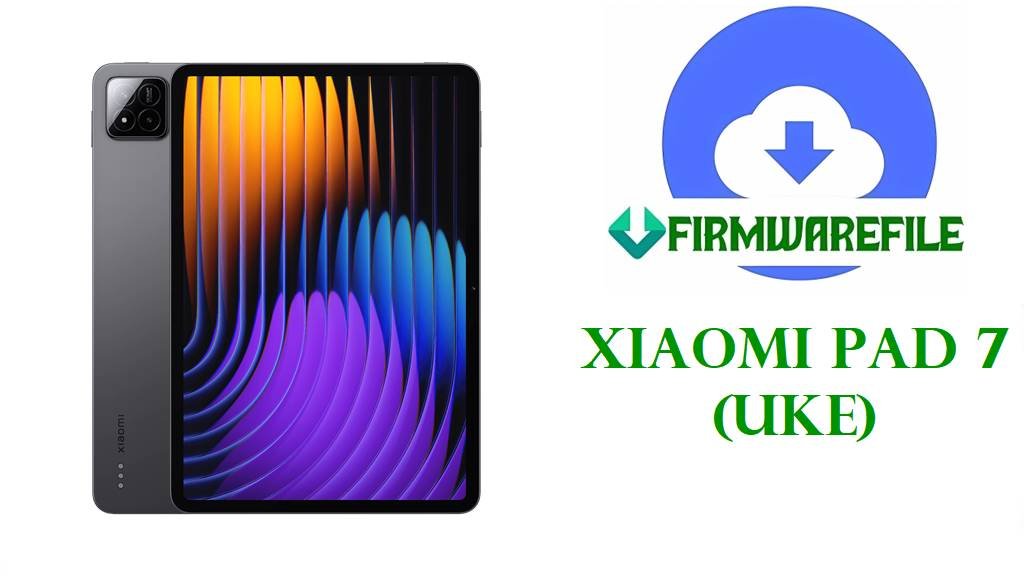
Xiaomi Pad 7 (uke) HyperOS 3 & 2 Official Fastboot ROM Download
The Xiaomi Pad 7, internal codename “uke”, is a slim Android tablet built around a Snapdragon 7+ Gen 3–class processor, a high‑refresh LCD panel up to 144 Hz, and a compact metal body designed for work, study, and media on the go. Global certifications and codename listings confirm “uke” as the Pad 7’s platform name, which is what Xiaomi uses for all its official HyperOS firmware packages and update tracking.
The official uke Fastboot ROMs below cover Android 16 HyperOS 3.0.6.0 and 3.0.2.0 builds for China and Global, as well as Android 15 HyperOS 2.0.x releases for India, Russia, Indonesia, EEA, Taiwan, and Turkey. Clean‑flashing the correct region ROM with Mi Flash Tool or fastboot scripts can fix bootloops, recover from failed OTAs, and apply HyperOS 3 optimizations such as improved device‑center display handling, Xiaomi Super Island, smarter Mi Home linkage, and other bug fixes listed in the official changelog.
Download Official Firmware for Xiaomi Pad 7 (uke)
These .tgz packages are official HyperOS Fastboot ROMs for Xiaomi Pad 7 (codename uke), hosted on Xiaomi’s bigota servers and intended for installation via Mi Flash Tool or fastboot scripts on an unlocked bootloader. Select the build whose suffix (CNXM, MIXM, INXM, RUXM, IDXM, EUXM, TWXM, TRXM) matches your tablet’s region in Settings → About tablet → Version.
| Filename | Region / Target Variant | Android / HyperOS | Build Date | File Size | Flashing Type | Notes | Download |
|---|---|---|---|---|---|---|---|
| uke_images_OS3.0.6.0.WOZCNXM_20251024.0000.00_16.0_cn_0a0ad8092e.tgz | China ROM – Xiaomi Pad 7 China (WOZCNXM) | Android 16.0, HyperOS 3.0.6.0.WOZCNXM | 2025‑10‑24 | 9.34 GB | Official Fastboot ROM (Mi Flash / fastboot) | Latest China stable; changelog highlights device‑center display fix, Xiaomi Super Island, richer Mi Home scenes, and various bug fixes. | Download OS3.0.6.0.WOZCNXM (Xiaomi servers) |
| uke_global_images_OS3.0.2.0.WOZMIXM_20251028.0000.00_16.0_global_1ecd974b9d.tgz | Global ROM – Xiaomi Pad 7 Global (WOZMIXM) | Android 16.0, HyperOS 3.0.2.0.WOZMIXM | 2025‑10‑28 | 7.41 GB | Official Fastboot ROM (Mi Flash / fastboot) | First global HyperOS 3 branch for uke; ideal for moving from HyperOS 2 to Android 16 with a clean install. | Download OS3.0.2.0.WOZMIXM (Xiaomi servers) |
| uke_in_global_images_OS2.0.203.0.VOZINXM_20251105.0000.00_15.0_in_ae73a1137b.tgz | India ROM – Xiaomi Pad 7 India (VOZINXM) | Android 15.0, HyperOS 2.0.203.0.VOZINXM | 2025‑11‑05 | 6.40 GB | Official Fastboot ROM (Mi Flash / fastboot) | India‑specific HyperOS 2 stable; good for fixing update issues and restoring stock on IN units before HyperOS 3 arrives. | Download OS2.0.203.0.VOZINXM (Xiaomi servers) |
| uke_ru_global_images_OS2.0.206.0.VOZRUXM_20251113.0000.00_15.0_ru_084ddfb48d.tgz | Russia ROM – Xiaomi Pad 7 RU (VOZRUXM) | Android 15.0, HyperOS 2.0.206.0.VOZRUXM | 2025‑11‑13 | 7.63 GB | Official Fastboot ROM (Mi Flash / fastboot) | Russian regional build; only flash on RUXM tablets to avoid network and OTA issues. | Download OS2.0.206.0.VOZRUXM (Xiaomi servers) |
| uke_id_global_images_OS2.0.206.0.VOZIDXM_20251116.0000.00_15.0_id_52967b1971.tgz | Indonesia ROM – Xiaomi Pad 7 ID (VOZIDXM) | Android 15.0, HyperOS 2.0.206.0.VOZIDXM | 2025‑11‑16 | 6.89 GB | Official Fastboot ROM (Mi Flash / fastboot) | Indonesian configuration with local services and carriers; suitable for repairing soft‑bricked IDXM units. | Download OS2.0.206.0.VOZIDXM (Xiaomi servers) |
| uke_eea_global_images_OS2.0.205.0.VOZEUXM_20251119.0000.00_15.0_eea_9523aebede.tgz | EEA ROM – Xiaomi Pad 7 Europe (VOZEUXM) | Android 15.0, HyperOS 2.0.205.0.VOZEUXM | 2025‑11‑19 | 6.93 GB | Official Fastboot ROM (Mi Flash / fastboot) | EEA stable tuned for EU regulations and privacy rules; recommended base for EUXM devices until HyperOS 3 EEA rolls out. | Download OS2.0.205.0.VOZEUXM (Xiaomi servers) |
| uke_tw_global_images_OS2.0.203.0.VOZTWXM_20251119.0000.00_15.0_tw_8c03d77bc3.tgz | Taiwan ROM – Xiaomi Pad 7 TW (VOZTWXM) | Android 15.0, HyperOS 2.0.203.0.VOZTWXM | 2025‑11‑19 | 6.56 GB | Official Fastboot ROM (Mi Flash / fastboot) | Configured for Taiwan carriers and content; use to fix OTA problems and restore stock on TWXM devices. | Download OS2.0.203.0.VOZTWXM (Xiaomi servers) |
| uke_tr_global_images_OS2.0.203.0.VOZTRXM_20251119.0000.00_15.0_tr_38b932b043.tgz | Turkey ROM – Xiaomi Pad 7 TR (VOZTRXM) | Android 15.0, HyperOS 2.0.203.0.VOZTRXM | 2025‑11‑19 | 6.93 MB | Official Fastboot ROM (Mi Flash / fastboot) | First mature Turkey HyperOS 2 release for uke; good unbrick base and starting point for TRXM region. | Download OS2.0.203.0.VOZTRXM (Xiaomi servers) |
Xiaomi Pad 7 Firmware Details
| Device Name | Xiaomi Pad 7 (global & China variants) |
|---|---|
| Codename | uke – internal platform name used in all official firmware packages. |
| Model Identifiers | Examples include 2410CRP4CC / 2410CRP4CG from certifications for Xiaomi Pad 7. |
| Chipset | Configured around a Snapdragon 7+ Gen 3–class processor in the Pad 7 series, balancing performance and efficiency. |
| Display | High‑refresh LCD panel up to 144 Hz for smooth scrolling, gaming, and pen use. |
| Battery Behavior | Large tablet battery designed for long screen‑on time, though some users report noticeable standby and idle drain on early software builds. |
| Android / HyperOS Versions | Ships with HyperOS 1/2 and upgradable to Android 15 HyperOS 2.0.x and Android 16 HyperOS 3.0.x, including OS3.0.6.0.WOZCNXM and OS3.0.2.0.WOZMIXM. |
| Main Issues Reported | High battery drain, heating at higher refresh rates, random freezes or boot‑screen loops, ghost touches and ghosting in dark mode, and slow charging in some cases. |
| What New Builds Improve | HyperOS 3.0.6.0 adds device‑center display fixes, Xiaomi Super Island, deeper Mi Home integration, payment features, and general experience optimizations and bug fixes. |
| Flash Methods | Fastboot ROMs flashed via Mi Flash Tool or fastboot scripts on a Windows PC; Recovery/OTA packages are distributed separately. |
| Bootloader Status | Official bootloader unlock is required for Fastboot ROM flashing, while stock OTA updates normally work on locked, unmodified tablets. |
| Use Cases for These ROMs | Unbrick soft‑bricked units, fix bootloops and update failures, move safely from HyperOS 2 to 3 by region, and recover from heavy tweaks or root by returning to clean stock. |
Flashing Requirements
- Back up your data: Fastboot flashes typically erase apps and internal storage, so save documents, media, and notes before starting.
- Charge above 50%: Ensure the Pad 7 has at least half battery to avoid shutdowns during flashing, which can cause serious corruption.
- Windows PC & USB‑C cable: Needed to run Mi Flash Tool or fastboot and communicate reliably with the tablet.
- Unlocked bootloader: Use Xiaomi’s official unlock process before flashing any uke Fastboot ROM; OTA updates can usually install on locked, stock devices.
📱 Quick Flashing Guides
Method 1: Xiaomi Mi Flash Tool (Fastboot ROM)
- Prepare ROM and tools: Install Xiaomi USB drivers and Mi Flash Tool on your Windows PC, then extract the desired uke_*_images_OS*.tgz file to a simple folder path.
- Unlock and enter fastboot: After completing the official unlock, power off the Pad 7, hold Volume Down + Power to enter fastboot mode, and connect it to the PC via USB‑C.
- Load firmware in Mi Flash: Open Mi Flash Tool, click Select, and point it to the extracted uke Fastboot ROM folder that contains the images and scripts.
- Choose the flash option: Select a mode such as “clean all” to fully refresh partitions and avoid automatic bootloader relock, which can brick if regions were ever changed.
- Flash and reboot: Click Flash, wait until Mi Flash reports success, then let the tablet reboot; the first boot into HyperOS 2 or 3 will take longer than usual.
For a more detailed step‑by‑step tutorial (with screenshots) on using Mi Flash Tool for Xiaomi and POCO devices, you can follow the dedicated guide linked in the Xiaomi flashing resources section of your firmware site.
Method 2: Fastboot Script (flash_all.bat‑style)
- Install platform tools: Set up Google’s Android platform‑tools on your PC and make sure fastboot devices detects the Pad 7 in fastboot mode.
- Extract the ROM: Fully unpack the .tgz until you see image files and batch scripts such as flash_all.bat or similar Xiaomi flashing scripts.
- Pick a safe script: Use the “flash all” script that keeps the bootloader unlocked and avoids locking on potentially mismatched firmware.
- Run as administrator: With the tablet in fastboot, run the script from a command prompt or by double‑clicking it, then wait while all partitions are written.
- Let HyperOS settle: After reboot, allow several minutes for optimization and check thermals and battery over a couple of days before changing settings further.
If you need a complete walkthrough of using fastboot scripts to flash stock firmware, refer to your main flash_all.bat tutorial for Android devices, which explains each option and safety tip.
Frequently Asked Questions (FAQs)
What problems can these Xiaomi Pad 7 firmwares help fix?
Flashing the correct uke Fastboot ROM can fix bootloops, crashes after OTAs, abnormal battery drain from buggy HyperOS builds, overheating linked to mis‑configured performance modes, and some ghost‑touch or screen‑stuck behaviors caused by software.
How do I know which uke file is right for my tablet?
Open Settings → About tablet → Version and check both the device name and region suffix (WOZCNXM, WOZMIXM, VOZINXM, VOZRUXM, VOZIDXM, VOZEUXM, VOZTWXM, VOZTRXM), then only flash Fastboot ROMs whose code matches exactly.
Is HyperOS 3.0.6.0.WOZCNXM better than HyperOS 2 for battery and stability?
The HyperOS 3.0.6.0.WOZCNXM changelog lists device‑center display fixes, Xiaomi Super Island, richer smart‑home linkage, payment improvements, and “other experience optimizations and known issues fixed”, which collectively improve general smoothness and reliability.
Why does my Xiaomi Pad 7 overheat or drain battery quickly even on stock firmware?
Heavy background apps, high refresh rates, and early HyperOS builds can keep the CPU and display active more than expected, leading to heat and drain; Xiaomi and community guides recommend lowering refresh rate, closing unused apps, and installing the latest stable update.
How can I reduce ghosting or ghost touches on the Pad 7 screen?
Xiaomi suggests adjusting display settings when ghosting appears in dark mode, while community tips for ghost touches include enabling accidental‑touch protection, lowering touch sensitivity, updating system apps, and, if needed, performing a factory reset.
Do I need to unlock the bootloader to get HyperOS 3 on my Pad 7?
You do not need an unlock for official OTA updates, but you must unlock the bootloader if you want to jump early using Fastboot ROMs such as OS3.0.6.0.WOZCNXM or OS3.0.2.0.WOZMIXM via Mi Flash Tool.