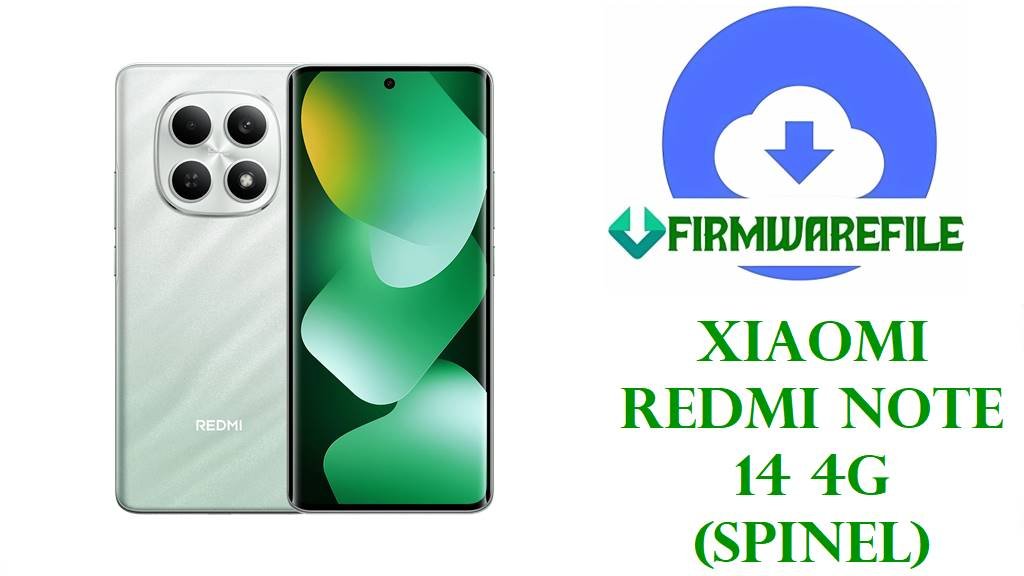
Xiaomi Redmi Note 14 4G (spinel) Official Fastboot ROM Download and Flash Guide
The Xiaomi Redmi Note 14 4G with codename spinel is a mid-range phone that targets users who want a large display, decent camera quality, and dependable battery life at a controlled price.
Owners typically reinstall the stock fastboot ROM on this unit to recover from bootloops, fix failed OTA updates, remove unstable mods or custom ROMs, unroot the device, or return the system to factory software before selling or sending it for warranty service.
File Selection Guide
The Redmi Note 14 4G is sold in multiple regional variants (Global, EEA, Russia, Indonesia, Taiwan, Turkey), and each region has its own fastboot package and product code such as VPGMIXM, VPGEUXM, VPGRUXM, VPGIDXM, VPGTWXM, and VPGTRXM.
Before downloading, match three details: the device codename spinel, the region code that corresponds to your current MIUI/HyperOS build (visible in Settings > About phone), and the same or higher Android version (Android 15 here) to avoid anti-rollback or incompatibility issues.
As a simple rule for first‑time users: choose the package whose code after “OS2.0.xxx.0” (for example, VPGEUXM or VPGMIXM) exactly matches the one shown in your phone’s current build number, unless you intentionally need the correct regional firmware for re-locking the bootloader in your own country.
Redmi Note 14 4G (spinel) Fastboot Firmware Download
These fastboot ROMs are full system images for the Redmi Note 14 4G (spinel) and are meant to be flashed from a PC using Mi Flash Tool or a fastboot script; each build targets a specific sales region.
| Region | Build | Android Version | Release Date | Size | File Format | Notes | Flashing Method | Download |
|---|---|---|---|---|---|---|---|---|
| Global (MI) | OS2.0.208.0.VPGMIXM | Android 15 | 2026‑01‑06 | 8.12 GB | .tgz (fastboot) | General global firmware for most international units; suitable for unbricking and returning to a clean HyperOS system. | Mi Flash Tool / fastboot script | Download Global ROM |
| Russia (RU) | OS2.0.209.0.VPGRUXM | Android 15 | 2025‑12‑30 | 8.02 GB | .tgz (fastboot) | Russian region package with local services and region‑specific configuration; recommended for devices originally sold in Russia. | Mi Flash Tool / fastboot script | Download Russia ROM |
| Indonesia (ID) | OS2.0.204.0.VPGIDXM | Android 15 | 2025‑12‑30 | 7.40 GB | .tgz (fastboot) | Indonesian build with local compliance and apps; often preferred for units bought in Indonesia to keep OTA updates stable. | Mi Flash Tool / fastboot script | Download Indonesia ROM |
| EEA (EU) | OS2.0.209.0.VPGEUXM | Android 15 | 2026‑01‑15 | 7.05 GB | .tgz (fastboot) | European Economic Area firmware with strict privacy and EU‑specific requirements; recommended for devices sold in EU countries. | Mi Flash Tool / fastboot script | Download EEA ROM |
| Taiwan (TW) | OS2.0.204.0.VPGTWXM | Android 15 | 2025‑12‑30 | 5.68 GB | .tgz (fastboot) | Taiwan region firmware, usually lighter in size; useful if your model is the official Taiwan variant and you need full restore with proper LTE bands. | Mi Flash Tool / fastboot script | Download Taiwan ROM |
| Turkey (TR) | OS2.0.202.0.VPGTRXM | Android 15 | 2025‑12‑30 | 6.90 GB | .tgz (fastboot) | Turkey firmware tuned for local regulations and carriers; useful for restoring an originally Turkish unit before bootloader re‑lock. | Mi Flash Tool / fastboot script | Download Turkey ROM |
Redmi Note 14 4G (spinel) and Firmware Summary
This table gives a quick technical snapshot of the Redmi Note 14 4G and the fastboot ROMs above so users can confirm they have the correct device and package before flashing.
| Parameter | Details |
|---|---|
| Device name | Xiaomi Redmi Note 14 4G (spinel) – global, EEA, RU, ID, TW, TR variants |
| Codename | spinel |
| Chipset | Qualcomm Snapdragon mid‑range 4G platform (fastboot ROM, Mi Flash compatible). |
| Display | Large FHD+ panel typical of Redmi Note series, optimized for daily media and casual gaming. |
| RAM / Storage | Multiple variants (for example 6 GB / 8 GB RAM and 128 GB / 256 GB storage, depending on market). |
| Battery | High‑capacity cell with fast charging support, aimed at all‑day mixed use. |
| Firmware type | Official HyperOS fastboot ROM (.tgz) for recovery via PC flashing tools. |
| Builds in this article | OS2.0.208.0.VPGMIXM, OS2.0.209.0.VPGEUXM, OS2.0.209.0.VPGRUXM, OS2.0.204.0.VPGIDXM, OS2.0.204.0.VPGTWXM, OS2.0.202.0.VPGTRXM |
| Android version | Android 15 base with HyperOS layer for all listed builds. |
| Recommended flashing tools | Xiaomi Mi Flash Tool on Windows or fastboot/flash.bat scripts for advanced users. |
| Bootloader state | Unlock generally required for cross‑region flashing; re‑lock only when using the correct region ROM for your original device variant. |
How to Flash Redmi Note 14 4G (spinel) Fastboot ROM
The Redmi Note 14 4G fastboot packages above are meant to be flashed from a computer, and most users will find Mi Flash Tool the most straightforward option; advanced users can use the included fastboot or flash.bat scripts instead.
Method 1 – Mi Flash Tool (Recommended for Most Users)
This method is best if you want a guided graphical interface to flash the spinel fastboot ROM while the phone is in fastboot mode.
- Install Xiaomi USB drivers and Mi Flash Tool on a Windows PC, then extract the chosen spinel fastboot ROM (.tgz) until you see the images and flash scripts.
- Power off the Redmi Note 14 4G, hold Volume Down + Power to boot into fastboot mode (Mi Bunny screen), and connect it to the PC with a reliable USB cable.
- Open Mi Flash Tool, click “Select,” and point it to the extracted spinel fastboot ROM folder that contains the flash_all scripts and images.
- Click “Refresh” so the tool detects your device, then choose the appropriate option at the bottom (clean all is usually safer; avoid lock unless you are using the correct region ROM for your original variant).
- Press “Flash” and wait without unplugging the cable until Mi Flash reports success; the phone will reboot automatically into the new system when the process completes.
For the full Xiaomi PC flashing procedure with screenshots and troubleshooting, follow this external guide:
How to flash Xiaomi firmware using Mi Flash Tool.
Method 2 – Fastboot / flash.bat Script (Advanced)
The spinel fastboot packages also include flash scripts that can be run directly with fastboot for users comfortable with command‑line tools.
- Install Android platform‑tools (ADB and fastboot) on your PC and extract the entire spinel fastboot ROM to a simple folder path with no spaces.
- Boot the Redmi Note 14 4G into fastboot mode (Volume Down + Power) and connect it to the same PC, confirming that
fastboot devicesshows the serial number. - In the ROM folder, run the appropriate script such as
flash_all.bat(clean flash),flash_all_except_storage.bat(keep user data if allowed), orflash_all_lock.bat(re‑lock, only with matching region firmware). - Wait while fastboot flashes all spinel partitions; the phone will reboot when the script finishes and returns to the prompt.
- On first boot, allow extra time for HyperOS optimization and then confirm the new build number in Settings > About phone to be sure the flash succeeded.
For a more detailed explanation of fastboot‑based flashing and scripted firmware installs, refer to:
Flash Android firmware using fastboot script (flash.bat).
Method 3 – Local Update / OTA for Future Maintenance
After restoring the correct spinel fastboot ROM, future security patches and minor upgrades are usually installed by the built‑in system updater instead of reflashing from a PC.
- Once the device boots normally, connect to Wi‑Fi, open Settings > About phone > System update, and let HyperOS check for new updates compatible with your region build (for example VPGMIXM or VPGEUXM).
- If a local update option exists, download the official OTA package to internal storage, then choose it from the updater or recovery menu as instructed by the device UI.
- Confirm the installation and leave the Redmi Note 14 4G on charge during the update to prevent interruptions or unexpected shutdowns.
- After the phone reboots, verify that the new OS2.0 build number and security patch date are correct in Settings > About phone.
For additional no‑PC update and sideload techniques, see:
Android firmware installation without PC (OTA / local update / sideload).
Frequently Asked Questions
Which spinel fastboot ROM should I use for my Redmi Note 14 4G?
Use the region code in your current build number as a guide: for example, devices sold in Europe normally use VPGEUXM (EEA), while most international units use VPGMIXM (Global), and using the matching region keeps OTA updates and modem configuration consistent.
Can I cross‑flash from Russia (VPGRUXM) to Global (VPGMIXM) or EEA (VPGEUXM)?
Cross‑flashing between spinel regions is technically possible with an unlocked bootloader, but it can change carrier behaviour and network optimizations, so bootloader re‑lock should only be attempted when the ROM region matches the device’s original sales region to avoid bricks.
My spinel device is stuck on the Mi logo; which method is safer to try first?
For soft bootloops where fastboot still works, flashing the matching fastboot ROM with Mi Flash using “clean all” is usually the most controlled recovery option, whereas local OTA update methods typically cannot fix deep system corruption.
Does flashing these ROMs affect gaming or camera performance on the Redmi Note 14 4G?
These packages are official stock builds, so performance and camera quality should match the intended behaviour for that OS2.0 version; any improvement usually comes from bug fixes or driver updates added in a newer build rather than from the flashing process itself.
Why does the Global ROM file size differ from the Taiwan and Turkey builds?
Size differences between spinel fastboot packages are normal because each region may bundle different system apps, language packs, and carrier components, which changes the compressed.tgz size even though the core OS and drivers remain aligned.